Sell at card shows. No signal needed.
Ten thousand people in one hall and not a bar of signal. Show mode puts your stock on an iPad before you leave, and every sale and buy is saved on it until it can send. With Shop Pro, a whole booth of iPads works together — each with its own seller and cash drawer, all on one board.
- PackPull list, printed by where cards live
- DownloadOnce, on the hotel wifi
- Sell & buyAll day, with no signal
- Catch upWhenever an iPad sees one bar
- Count upDrawers, sellers and profit
Before the show
Plan it and pack it
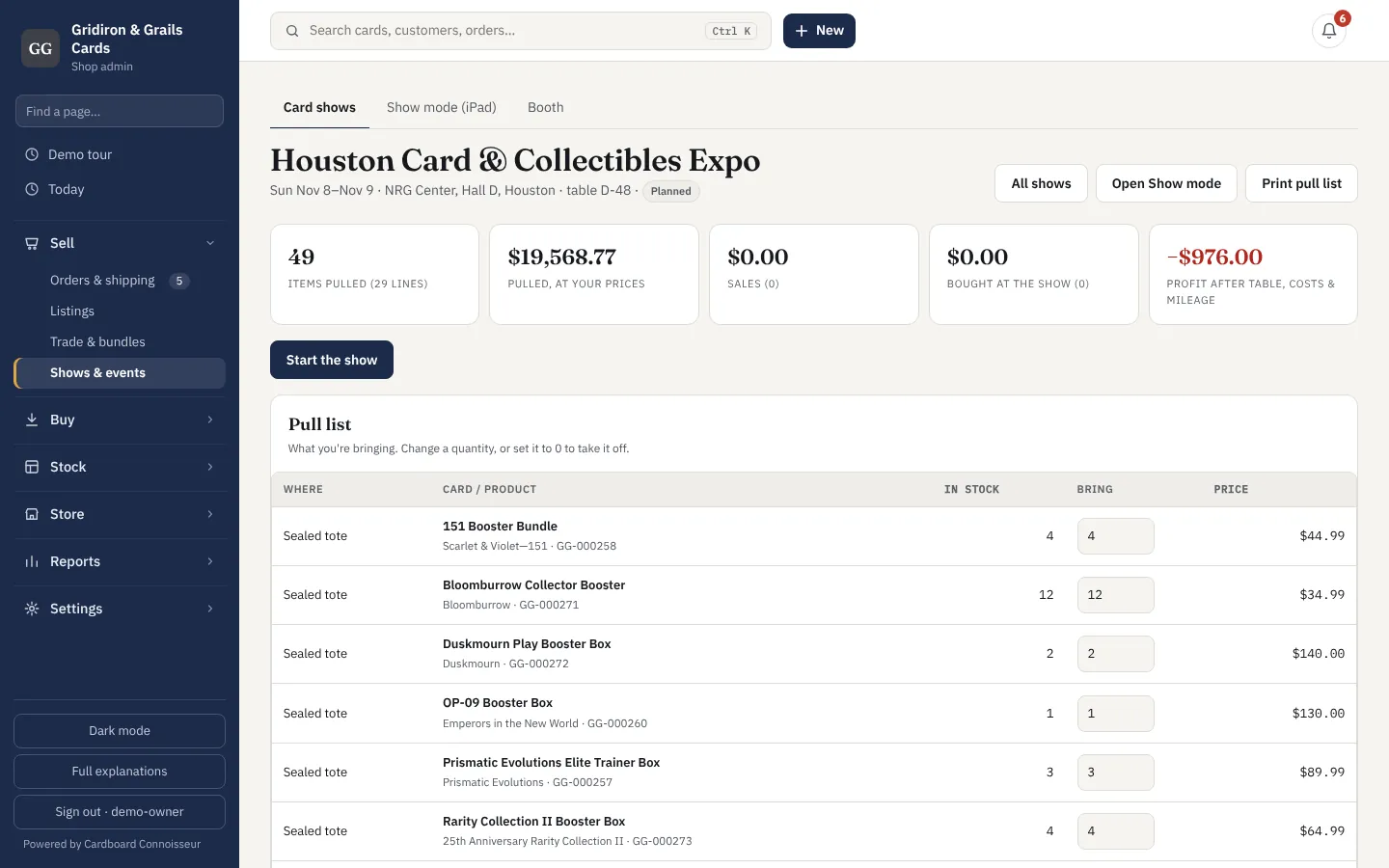
Add the show with its table fee, hotel and miles. Build a pull list — one card at a time, or "every slab over $100" in one go — and print it sorted by where each card lives. Packing takes minutes.
- Pull list printed by storage spot
- Table fee, costs and mileage go to Expenses when it ends
At home or the hotel
Download to the iPad
Open Show mode once while you have wifi. It saves the pull list — prices, market values, cost — on the iPad and adds itself to the home screen. From then on it opens with no connection at all.
- A few hundred kilobytes for a typical table
- Market price, your asking price and the move since last check on every card
At the table
Sell with no signal
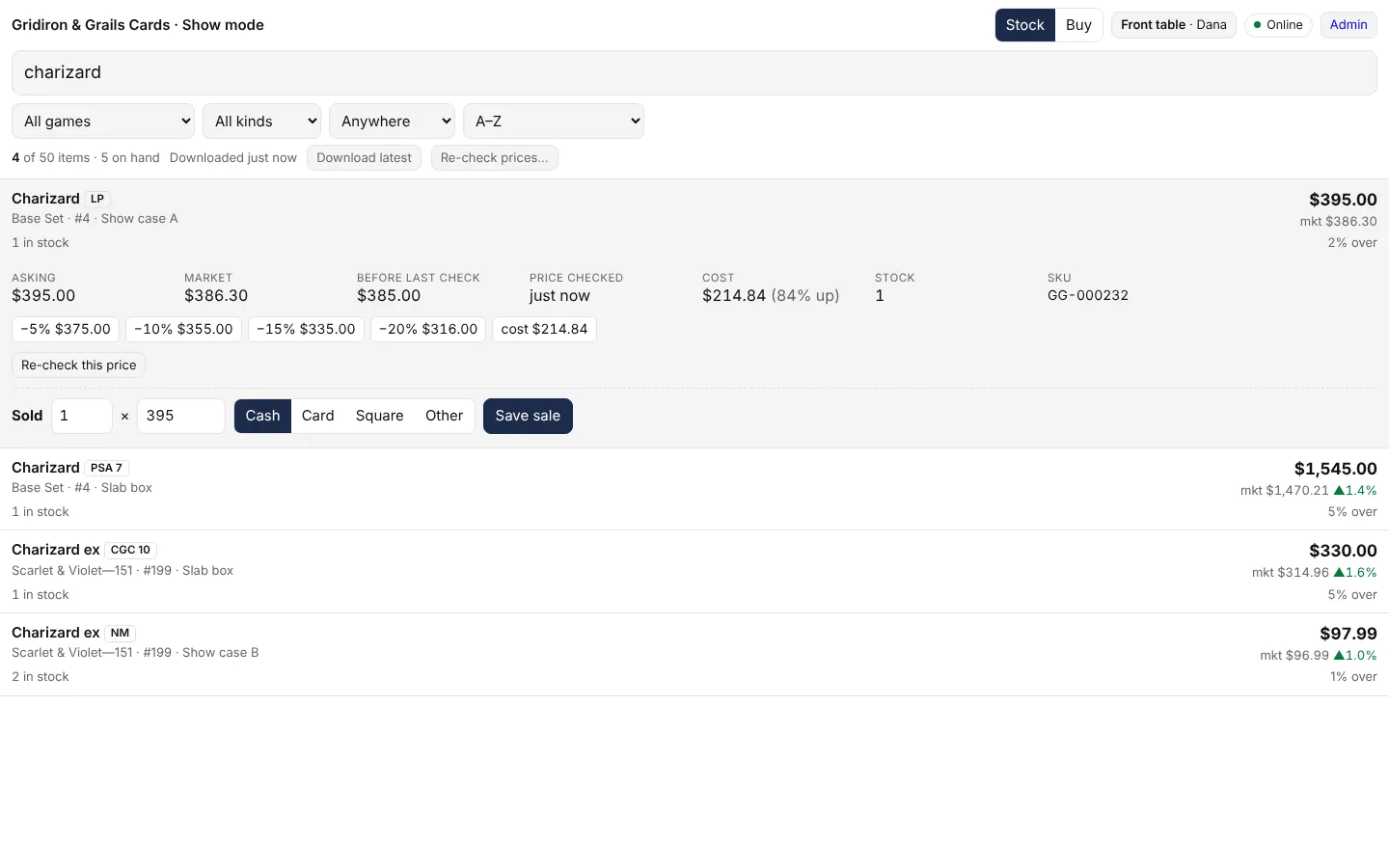
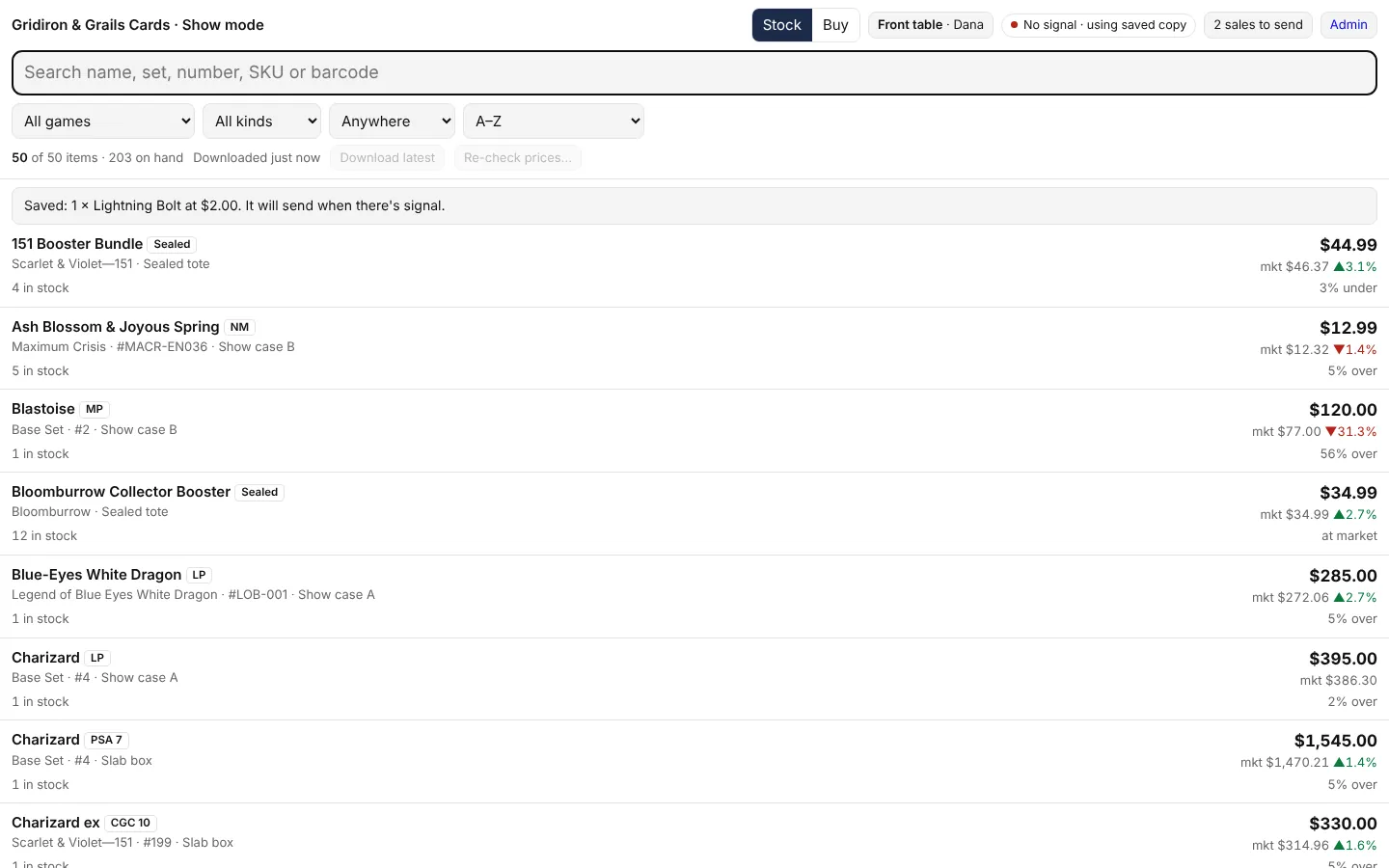
Search by name, set, number or a scanned label. Tap the card, take the offer, pick cash or card, save. The sale is kept on the iPad and sent the next time it sees one bar of signal — a phone hotspot, the venue wifi for a minute, the parking lot.
- The "to send" count shows what's still on the iPad
- Nothing is lost if the battery dies — it's saved as you go
When someone brings cards
Buy from the crowd
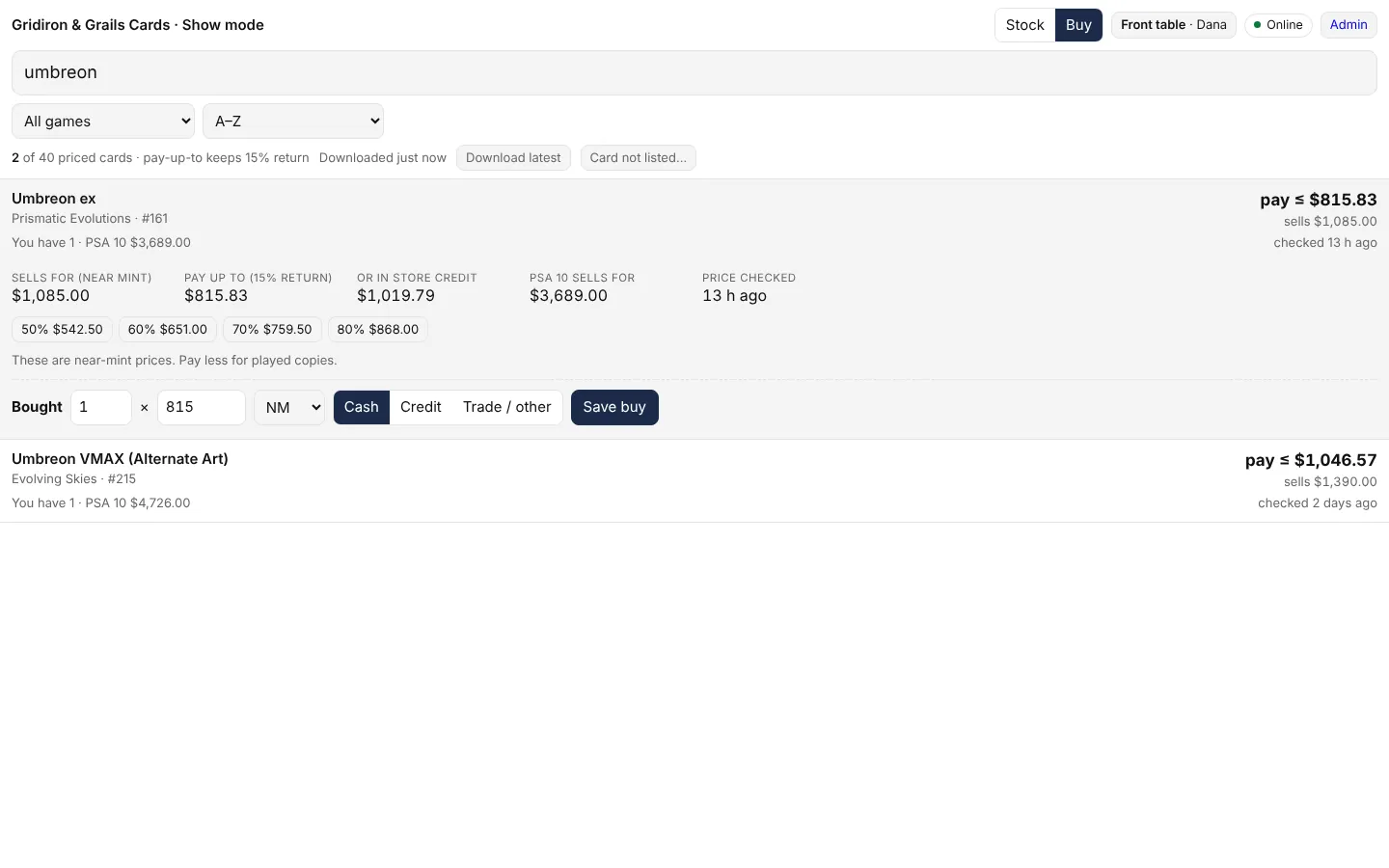
Flip to Buy: every card you price, with what it sells for and the most you can pay and still make your return. Tap 60% or 70% to fill the offer. What you buy goes into stock at what you paid.
- Pay-up-to worked out from your own target return
- Bought cards land in inventory with their cost and "Card show" as the source
Shop Pro · $189 a month
When it's more than one of you
Booth mode turns a table of iPads into one register system that still doesn't need the internet.
Shop Pro
Several iPads, one table
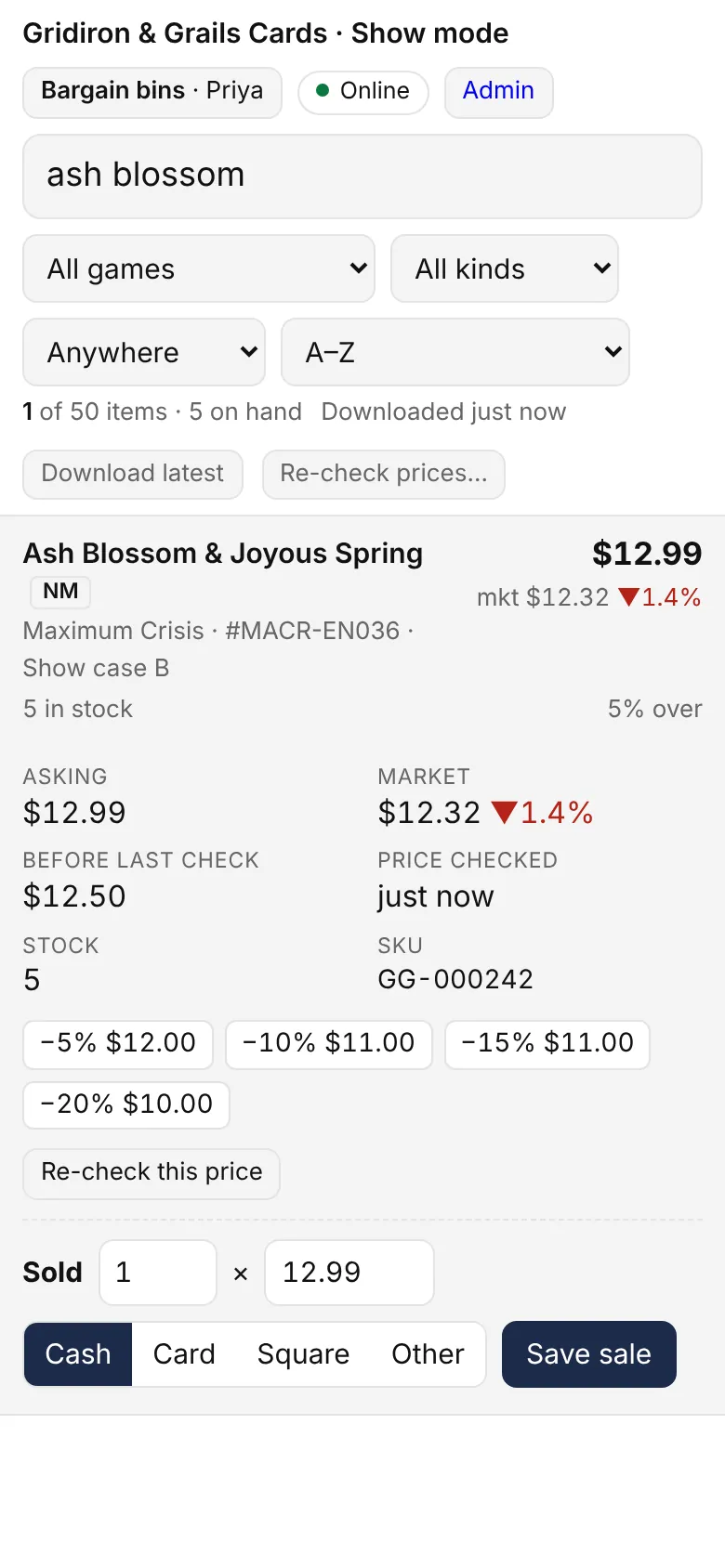
Name each iPad — "Front table", "Slab case", "Bargain bins". Each sells on its own, offline, and tells the others what it sold whenever it gets signal, so nobody sells the last copy twice.
- Every sale tagged with the register it came from
- Sold elsewhere? The card shows "sold at Slab case 2 min ago"
Shop Pro
Who's selling
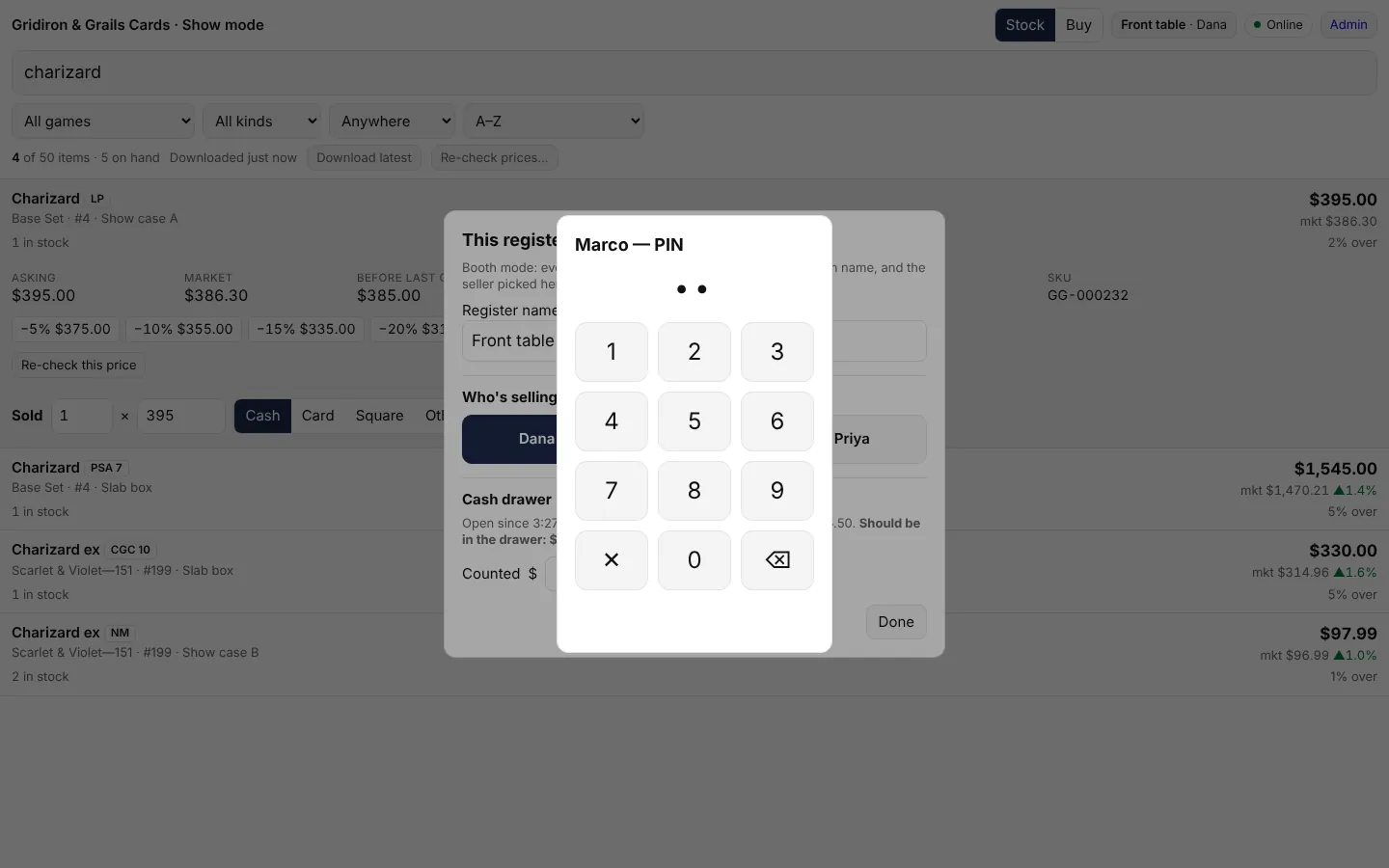
Staff tap their name and type a short PIN. Every sale and buy is credited to them, not to whichever login the iPad is signed in with. The PIN is checked on the iPad, so it works with no signal.
- Sales by seller for every show
- Change sellers in two taps at shift change
Shop Pro
The booth board
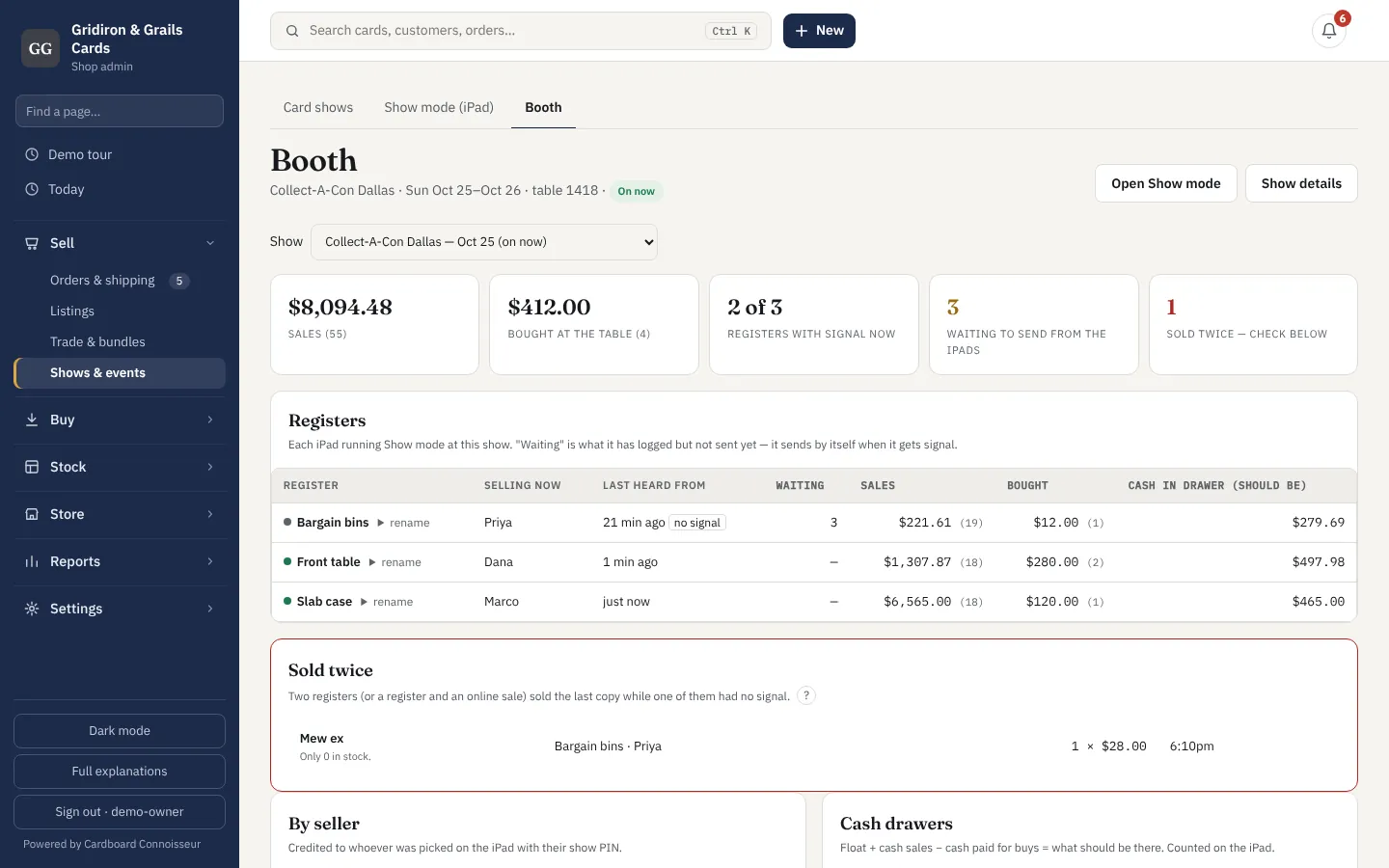
One screen for the whole table: every register, who's on it, when it last had signal and how much it still has to send; the latest sales and buys as they arrive; anything sold twice, with who and when.
- Refreshes itself while the show is on
- A double sale is caught and listed, never hidden
Shop Pro
Cash drawers
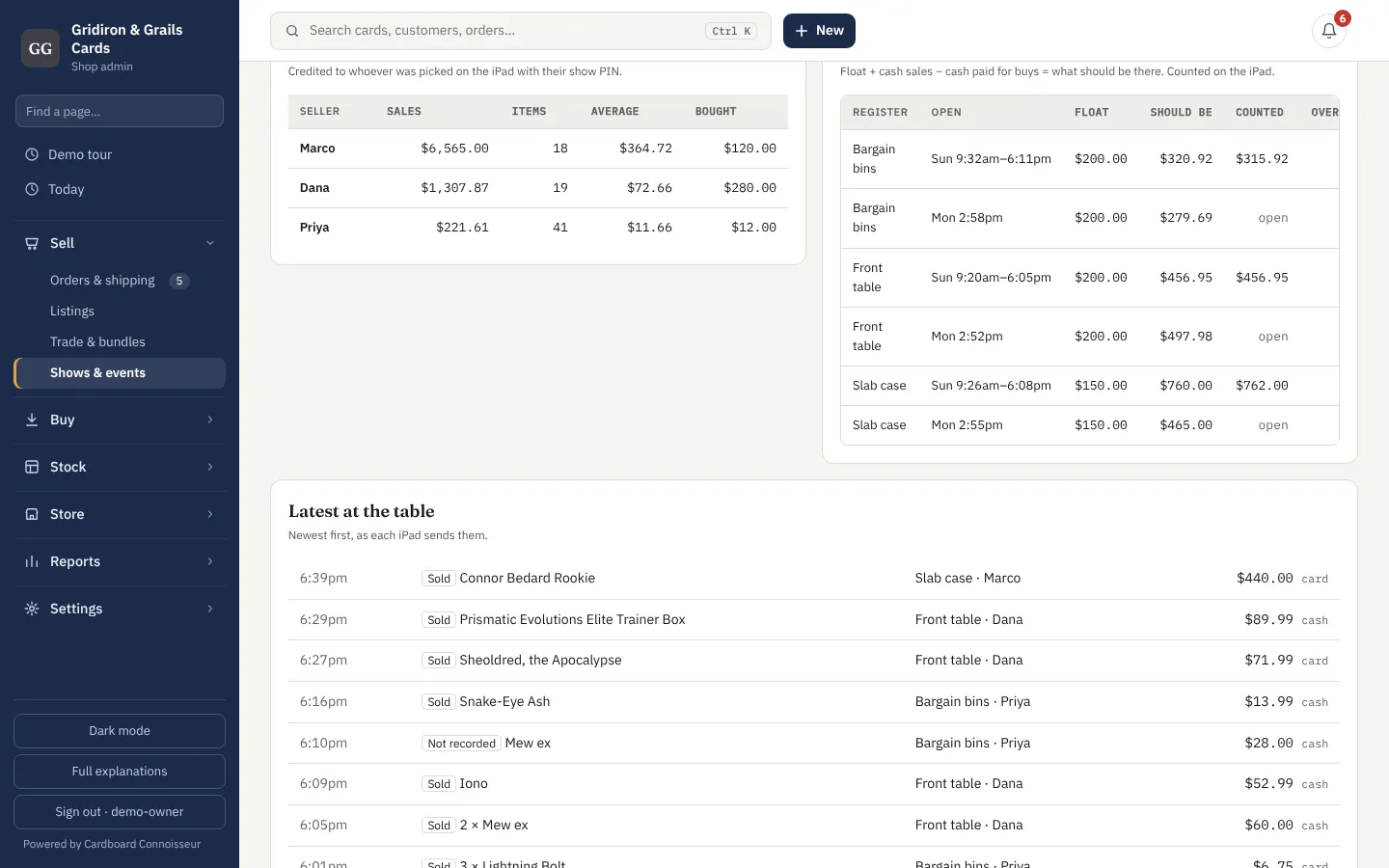
Open each register with its float and count it at close. The board works out what should be there — float, plus cash sales, less cash paid for buys — and shows over or short for each drawer, each day.
- Counted on the iPad, offline
- Know which drawer was short, and who was on it
Back home
What the show really made
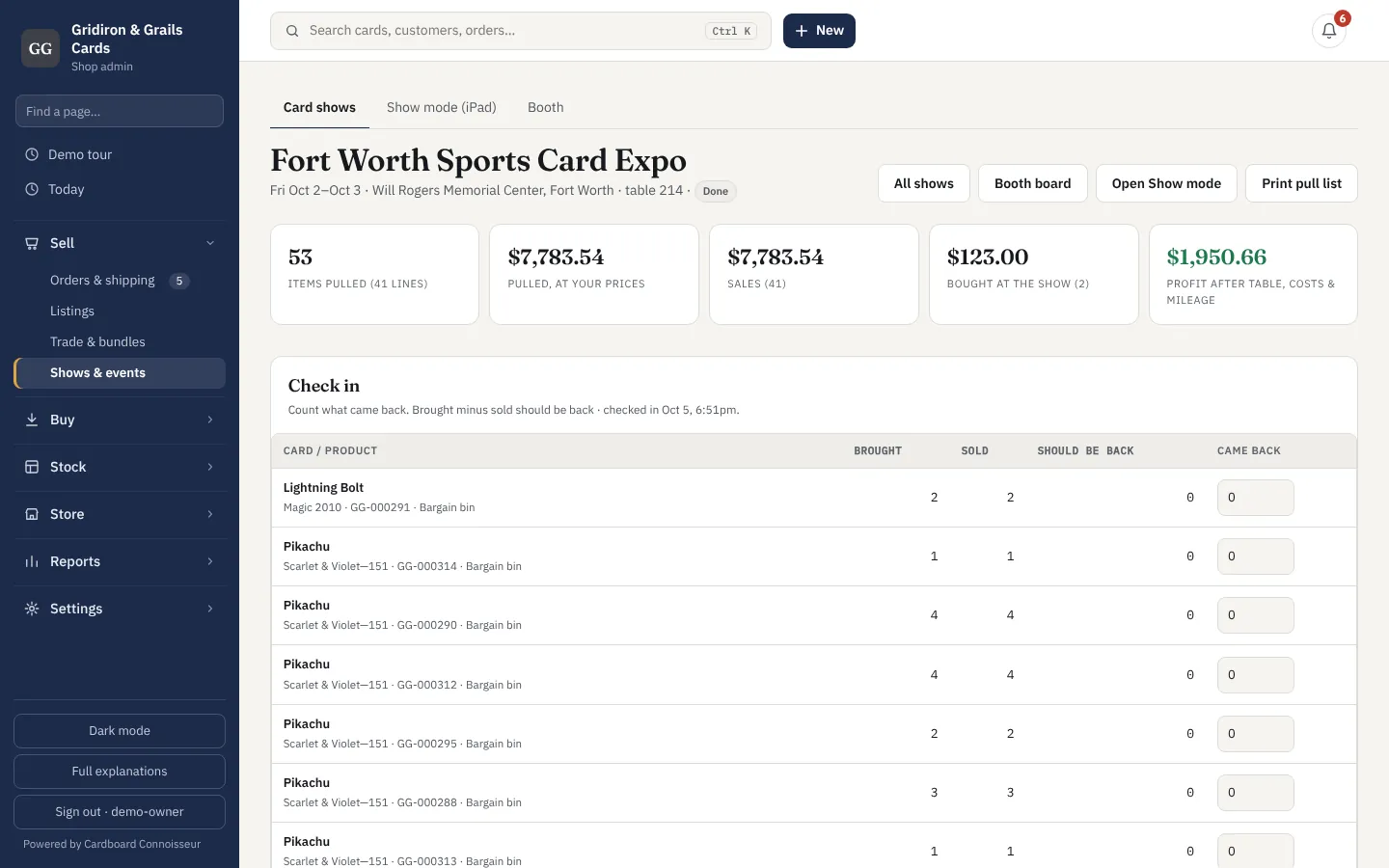
End the show: its costs go to Expenses. Check in what came back and anything missing is flagged. The show's page shows sales, what those cards cost, card fees, the table, the hotel and the mileage — the profit you actually made.
- Profit per show, so you know which are worth the drive
- Unsold stock goes straight back online
Which plan has it
Show mode
One iPad (or phone) at the table, offline. Pull lists, buying, profit per show.
- Shop and Self-hosted
Booth mode
Several iPads at one table: registers, staff PINs, cash drawers, the live booth board.
- Shop Pro — $189 a month, everything in Shop included
- Self-hosted (switch it on under Modules)
Questions
Does it really work with no internet at all?
Yes. Once Show mode has been opened with a connection, the iPad has your stock and prices and opens without one. Sales, buys and drawer counts are saved on the iPad and sent when it next gets signal. Only re-checking a price against today's market needs a connection.
What if two of us sell the last copy while offline?
Whenever the iPads have signal they tell each other what sold, every minute, so this is rare. If it happens anyway, the first sale through counts and the second is flagged on the iPad and on the booth board with the register, the seller and the time, so you can sort it out with the buyer.
Can I take card payments?
Use your card reader as usual — Square's own app has an offline mode — and mark the sale as Card or Square on the iPad. The money side stays with your card processor; the sale, the card and the profit are recorded here.
Do I need iPads? Is it in the app?
Show mode is in the Cardboard Connoisseur app for iPhone and iPad (Home → Show mode), and on the website for any other tablet or phone — add the page to the home screen. Both work with no signal and can be registers at the same booth: a staff iPhone, the website on an Android tablet, an iPad at the slab case. The app's Price a case also helps on the floor: photograph another dealer's case and see which cards are worth buying.
Are staff PINs a password?
No — they say who made a sale. The iPad checks them itself so they work offline. What a login can see (costs, profit) still depends on the login the iPad is signed in with.
What happens to what I don't sell?
Nothing moves unless it sells. Check in what came back when you're home and anything missing is flagged; the rest is still listed online, as it was.
Try it on a real show.
The show-floor demo is Collect-A-Con, day two: three iPads, one without signal, a drawer $5 short and a card sold twice. Open Show mode as one of the iPads (PIN 2580 for Dana) and sell something — it shows up on the board.