Everything it does
Grouped by the job it does for you. Every screenshot is from the demo shop — a real install with made-up data, which you can open and use yourself. The tags show which plans include each part.
Know what to do first
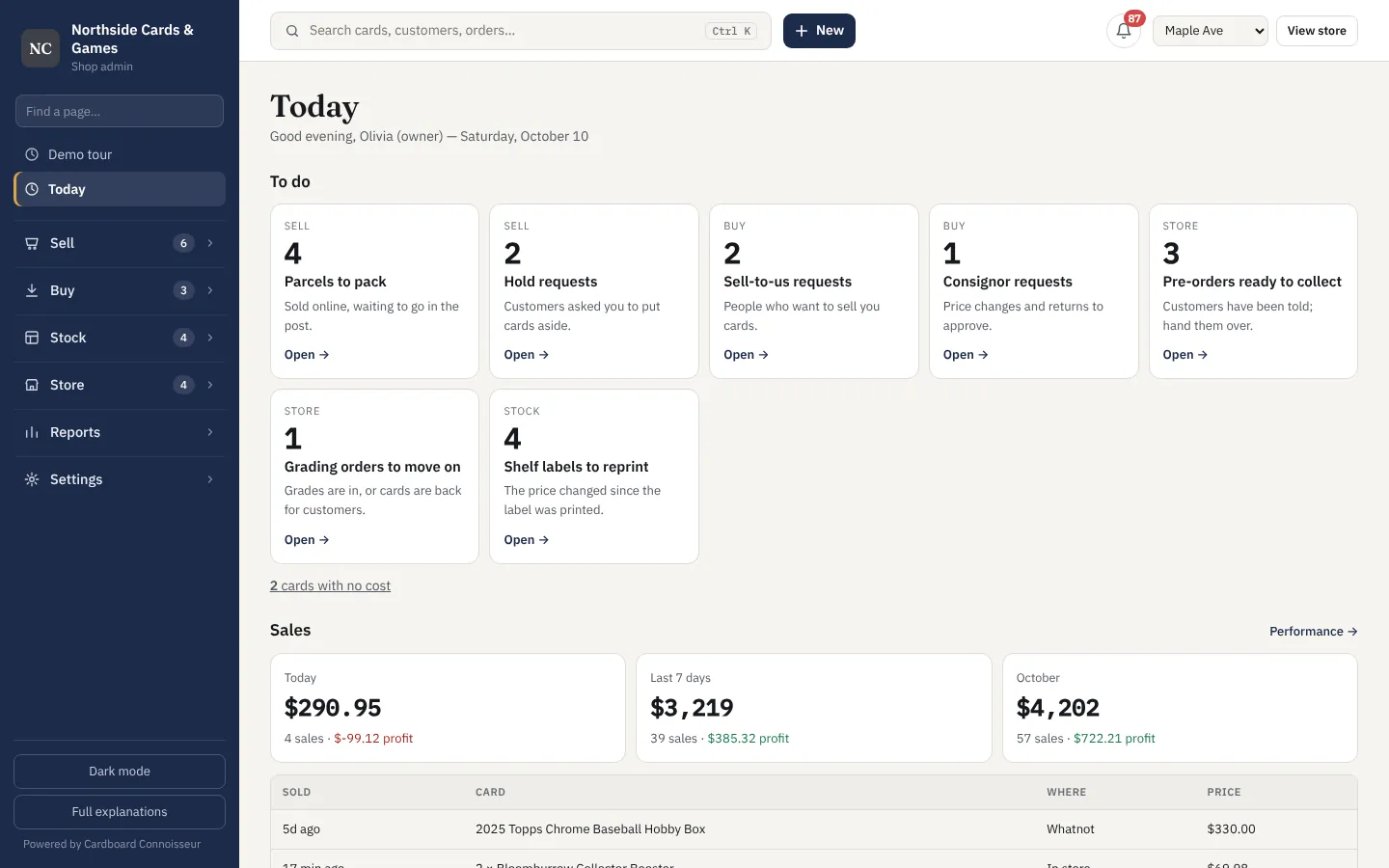
Open it in the morning and the work is waiting: parcels to pack, holds to confirm, offers to answer, cards to check. Each with a button.
- Today page with everything that needs you, in order
- Search anything — cards, customers, orders — with Ctrl K
- Start any job from one "New" button
- Alerts when a price moves, a hold expires or a deal turns up
- Daily digest email with yesterday's sales and today's list
- Works on a phone as well as a desk
Every card you own, with what you paid
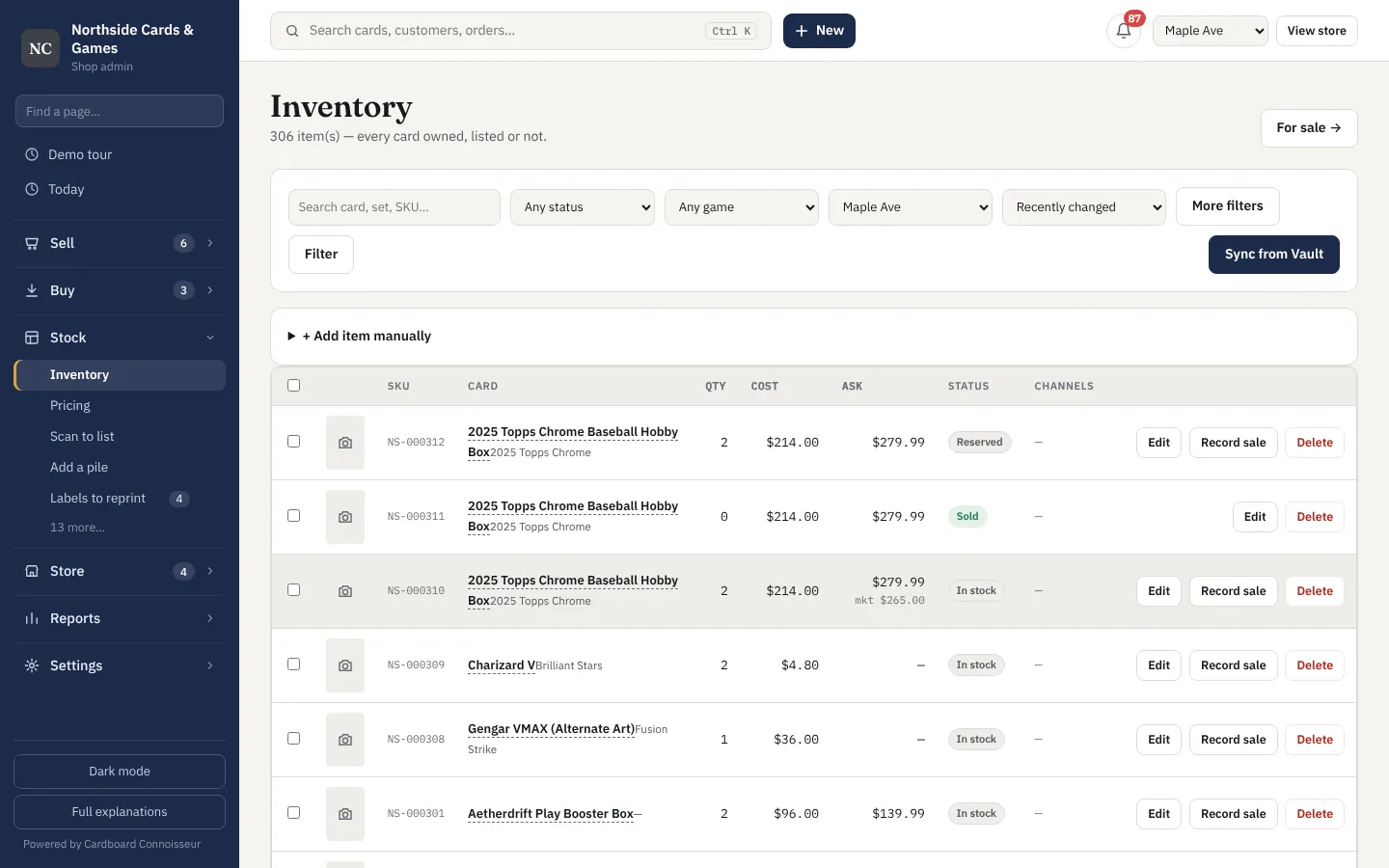
Singles, slabs, sealed and bulk in one list, each with its cost, condition and where it lives. Nothing is ever deleted when it sells, so the history stays.
- Cost, condition, grade, location and quantity on every item
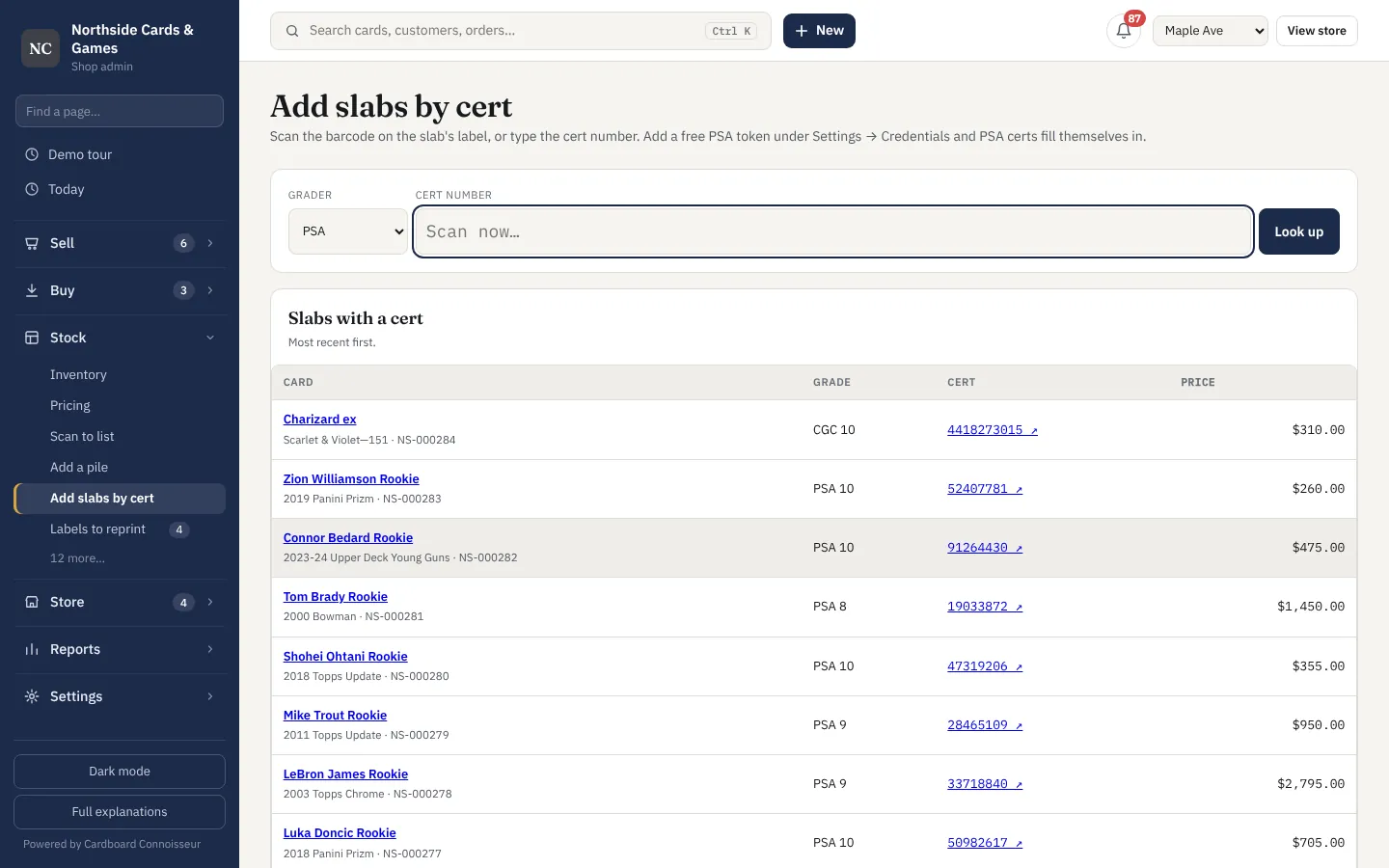
- Add a slab by scanning its PSA or CGC cert — details fill themselves
- Type a 500-card pile as shorthand ("17 gold/50, 44, 102 refractor x3")
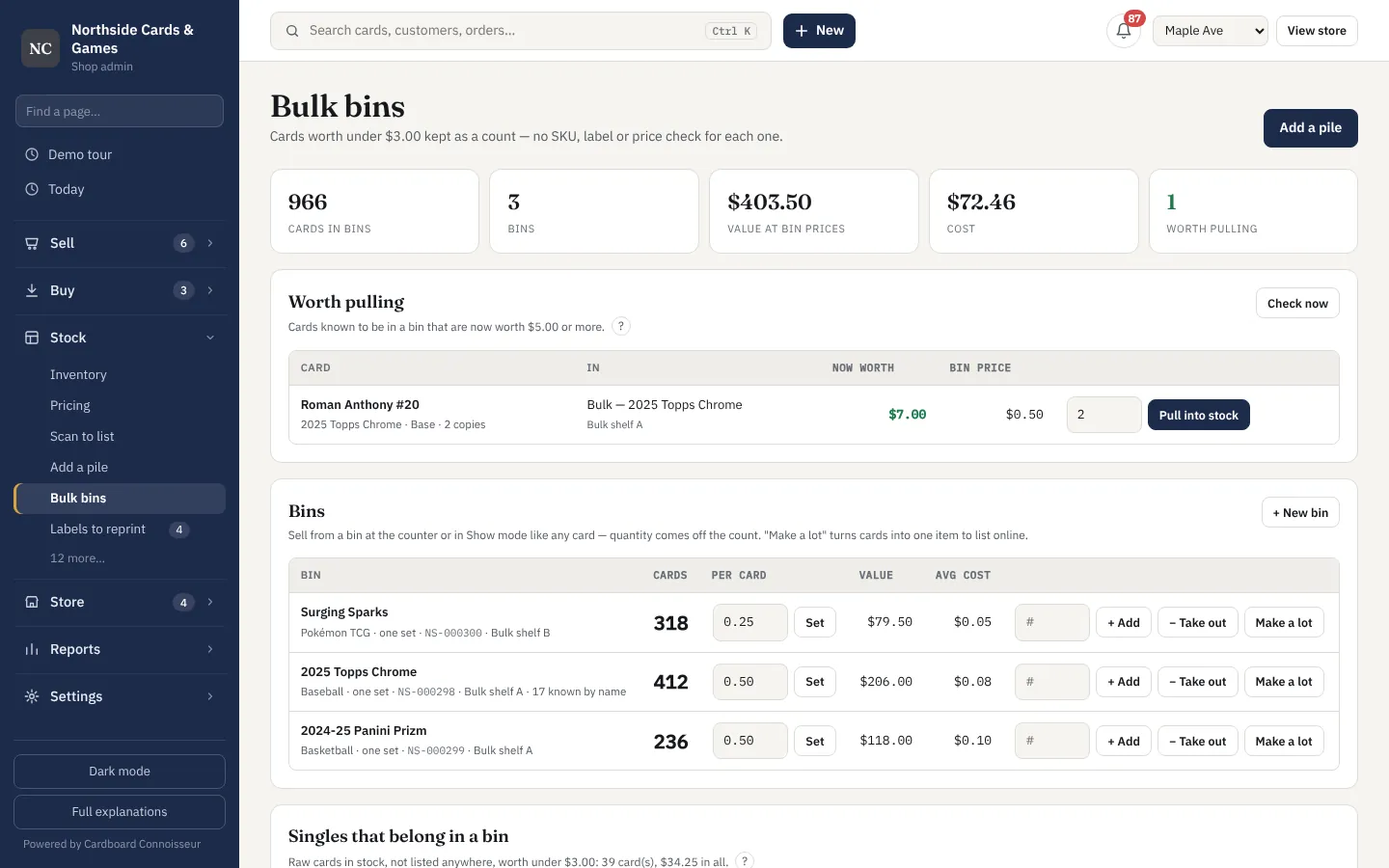
- Bulk bins: count commons by the box, pull out the few worth listing
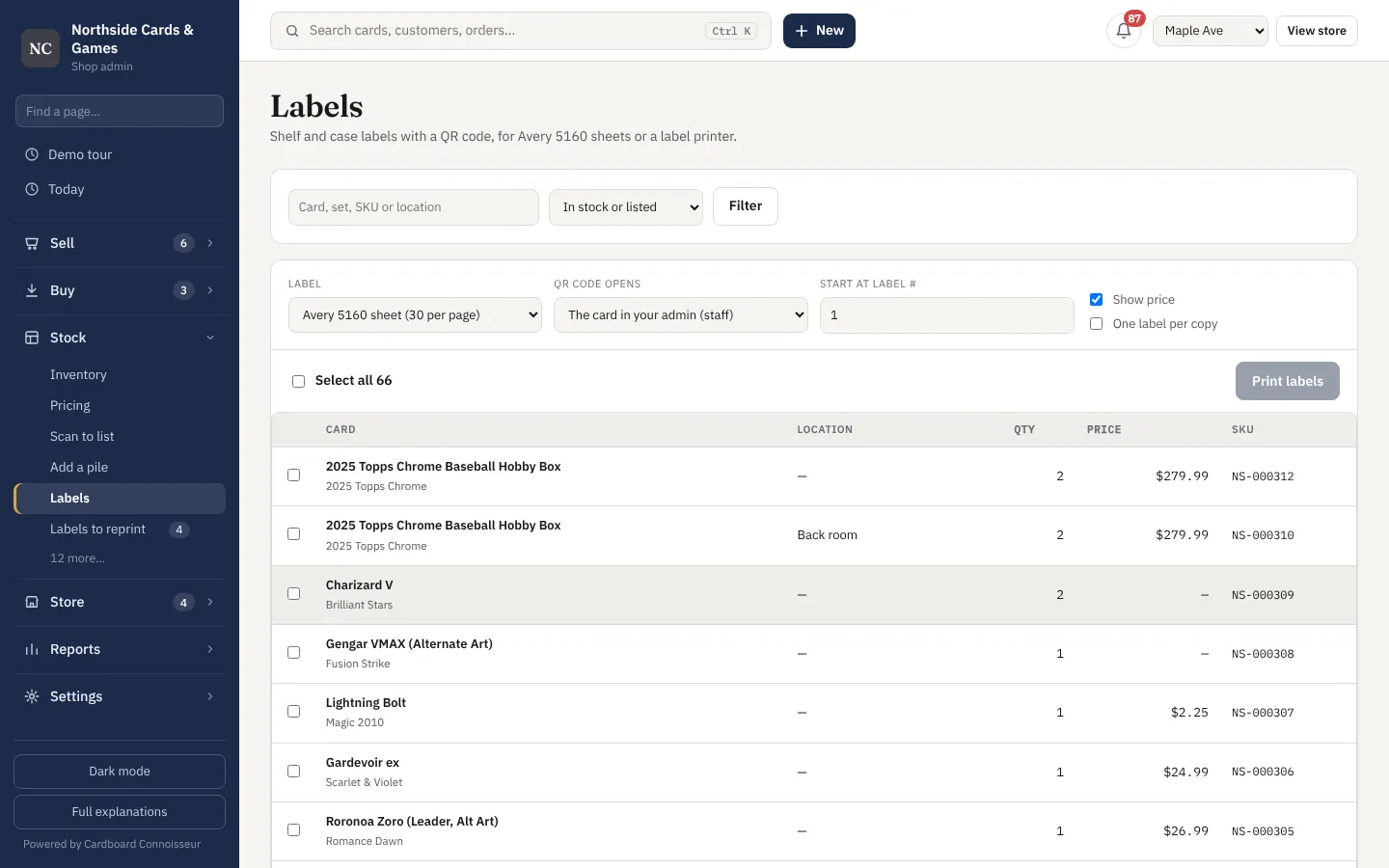
- Shelf labels with QR codes for Avery sheets or a label printer
- Photo every card from your phone by scanning a QR code
- Import from a spreadsheet, a collection app or your eBay listings
- Pokémon, Magic, Yu-Gi-Oh!, Lorcana, One Piece, Riftbound and sports
Prices that check themselves
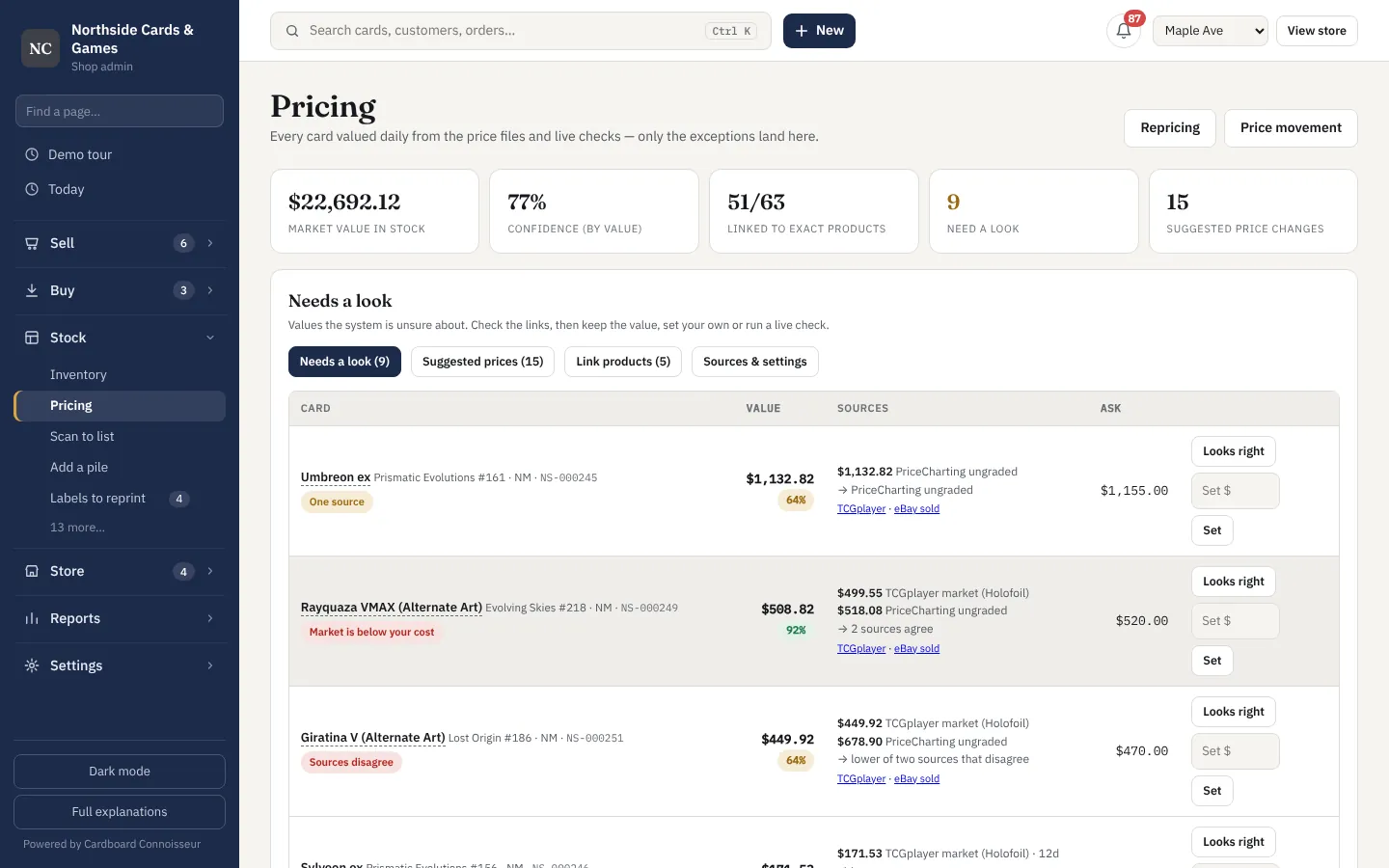
Every card is valued daily from several price sources. Where they agree it just updates; where they don't, it lands in a short list for you to decide.
- TCGplayer, eBay sold, PriceCharting and Card Hedge values side by side
- Each value shows where it came from and how sure it is
- Card matching that won't price Base Set from Base Set 2
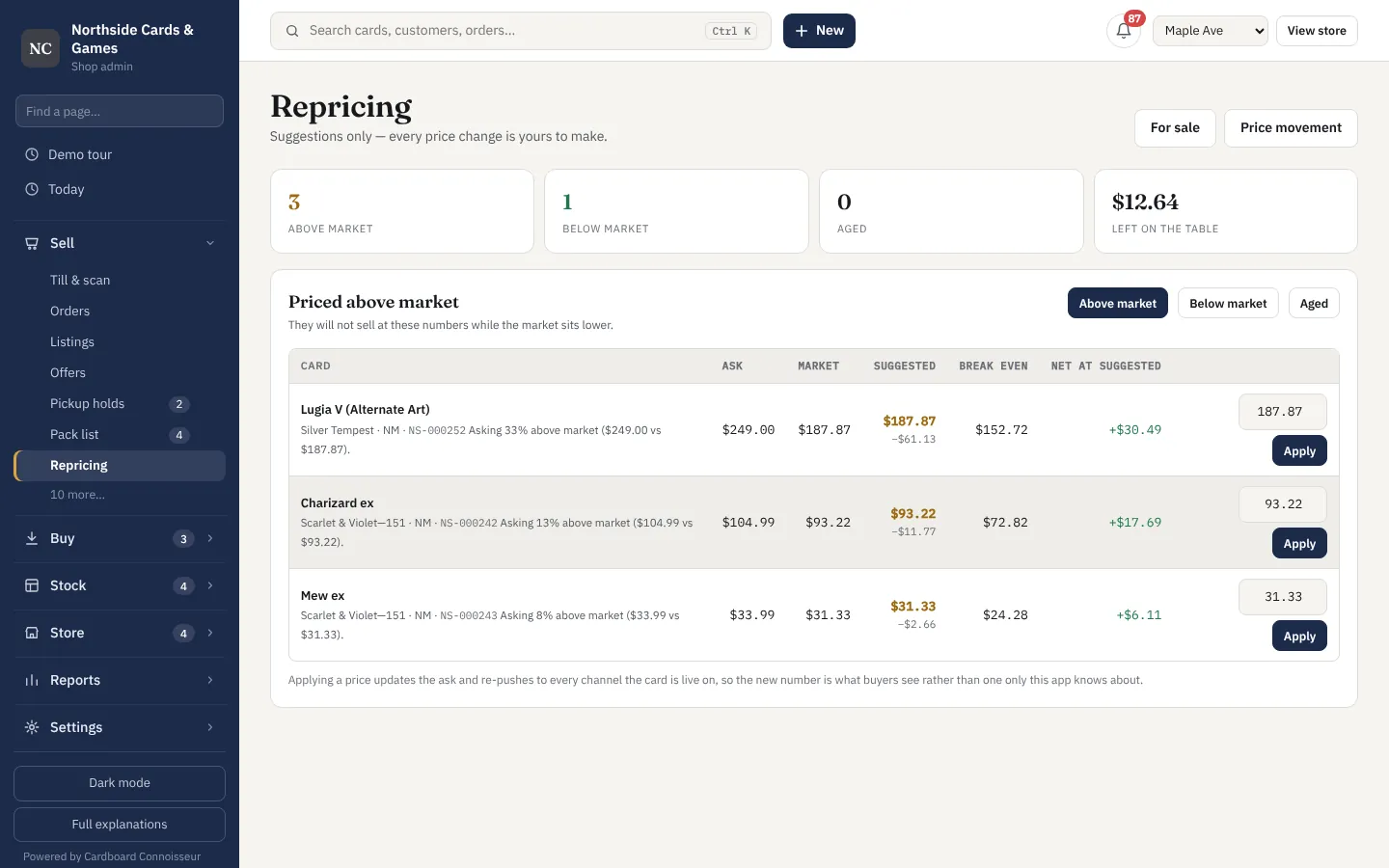
- Repricing suggestions — every change is yours to approve
- Labels to reprint when a shelf price changes
- Movers: what jumped or dropped this week
List once, sell everywhere
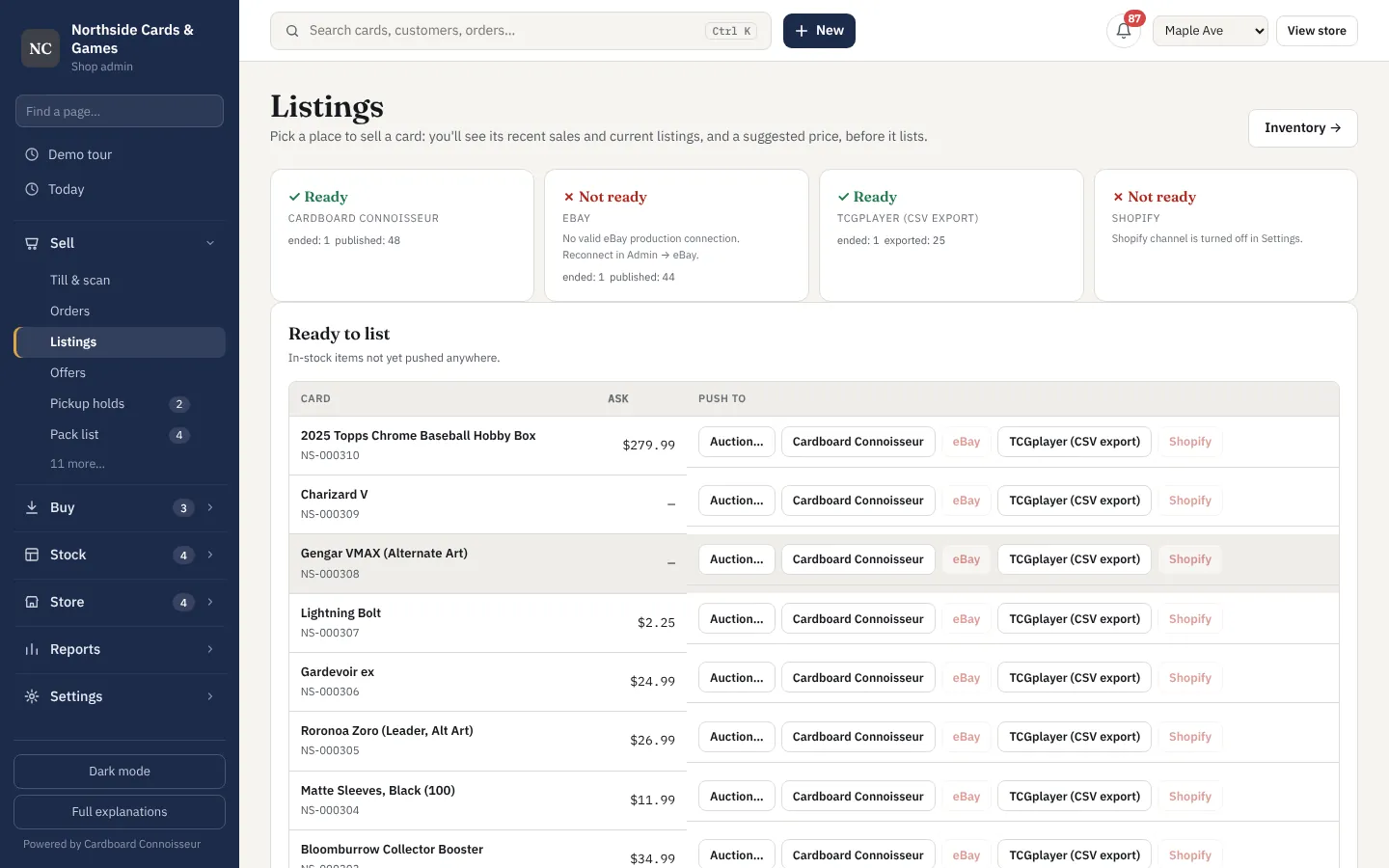
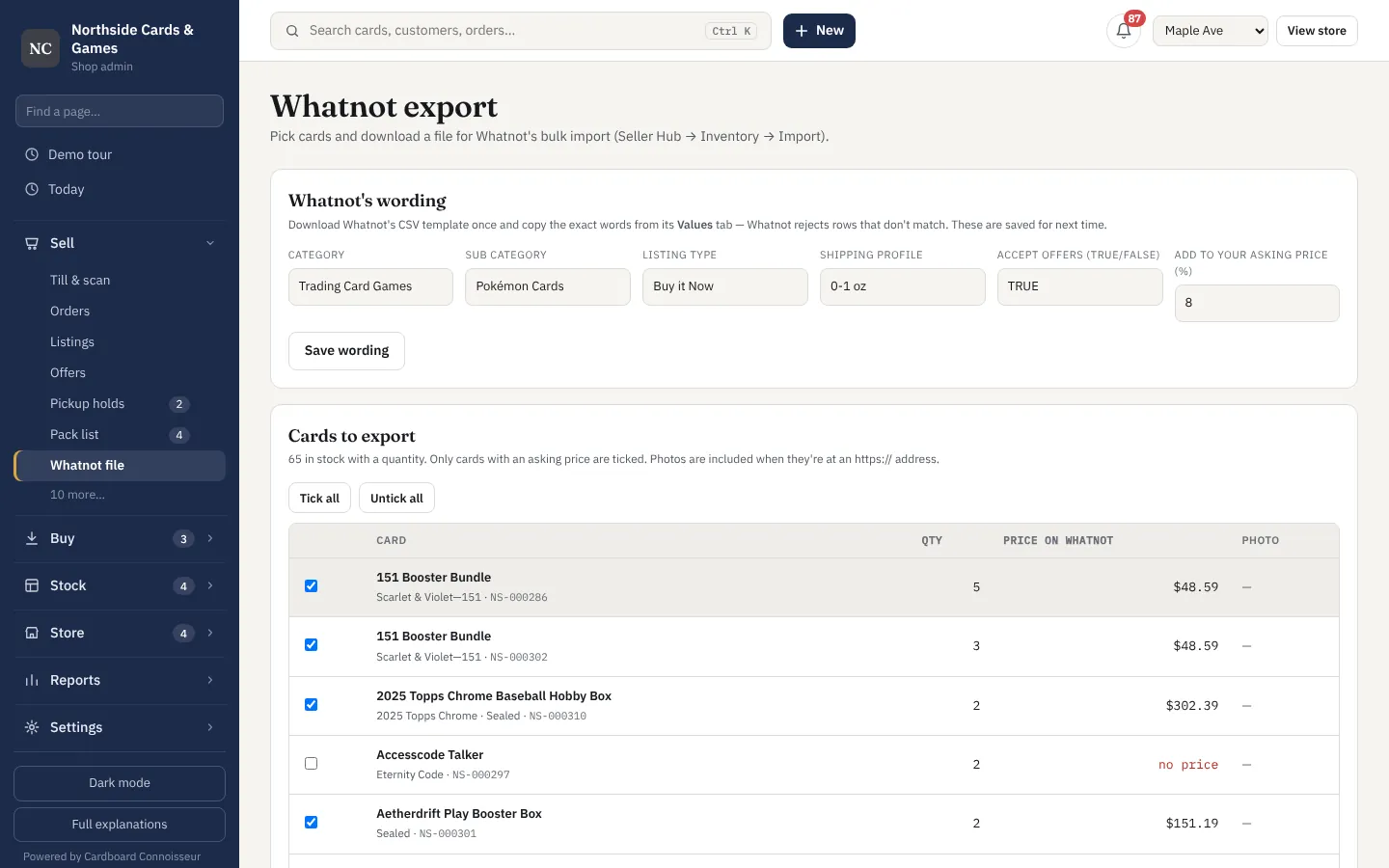
Push a card to eBay, TCGplayer, Whatnot, Shopify and your own site from one screen. When it sells anywhere, it comes off everywhere else.
- eBay listings created for you, with category and item specifics checked first
- TCGplayer and Whatnot bulk files in their exact formats
- Shopify products with price and stock kept in step
- Sold on one channel, removed from the rest — no overselling
- Scan a stack, identify each card from the photo, and list it
- Pack list for everything sold online
- Best offers and price requests in one place
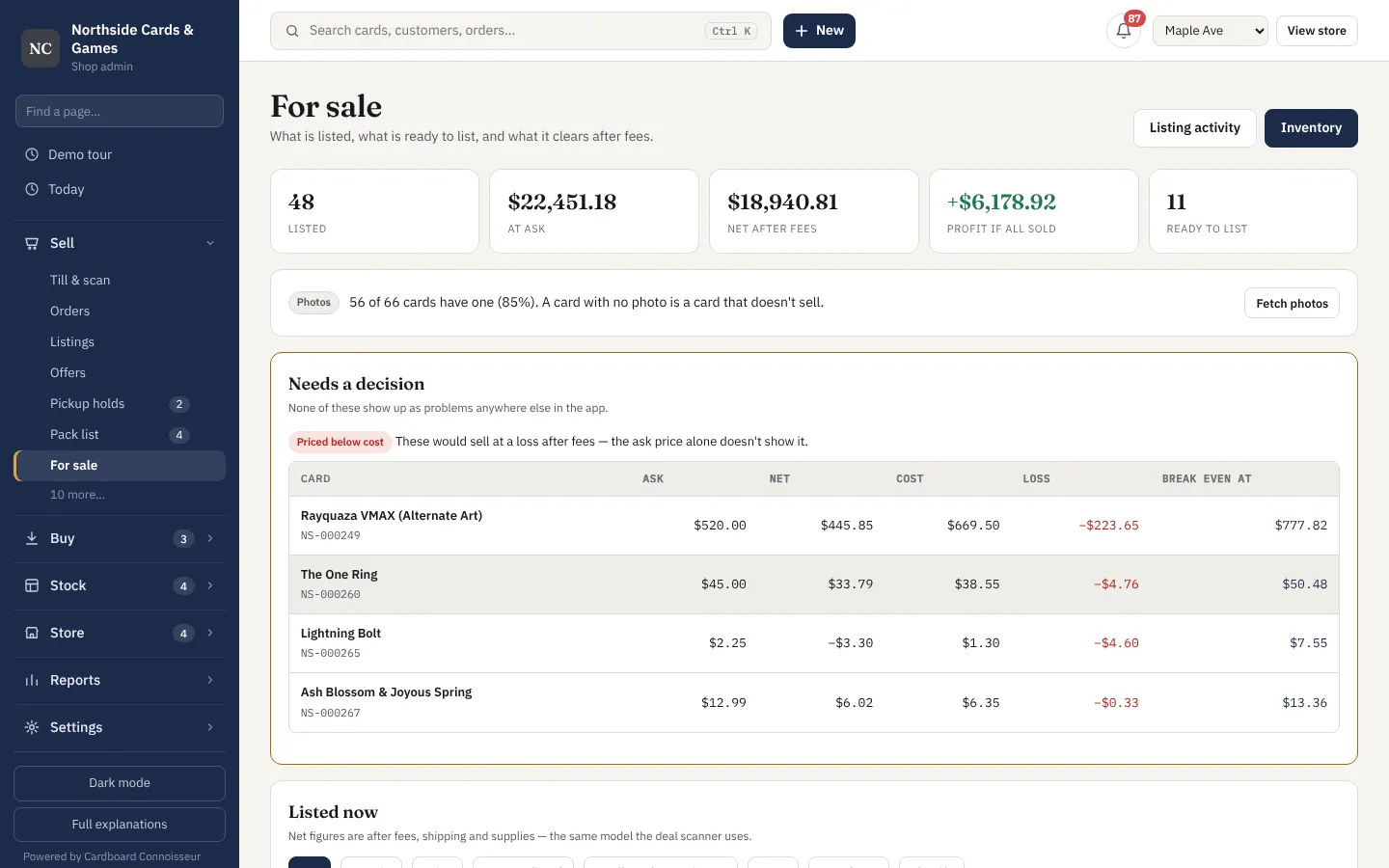
- Profit after fees and postage shown before you list
Find cards worth buying
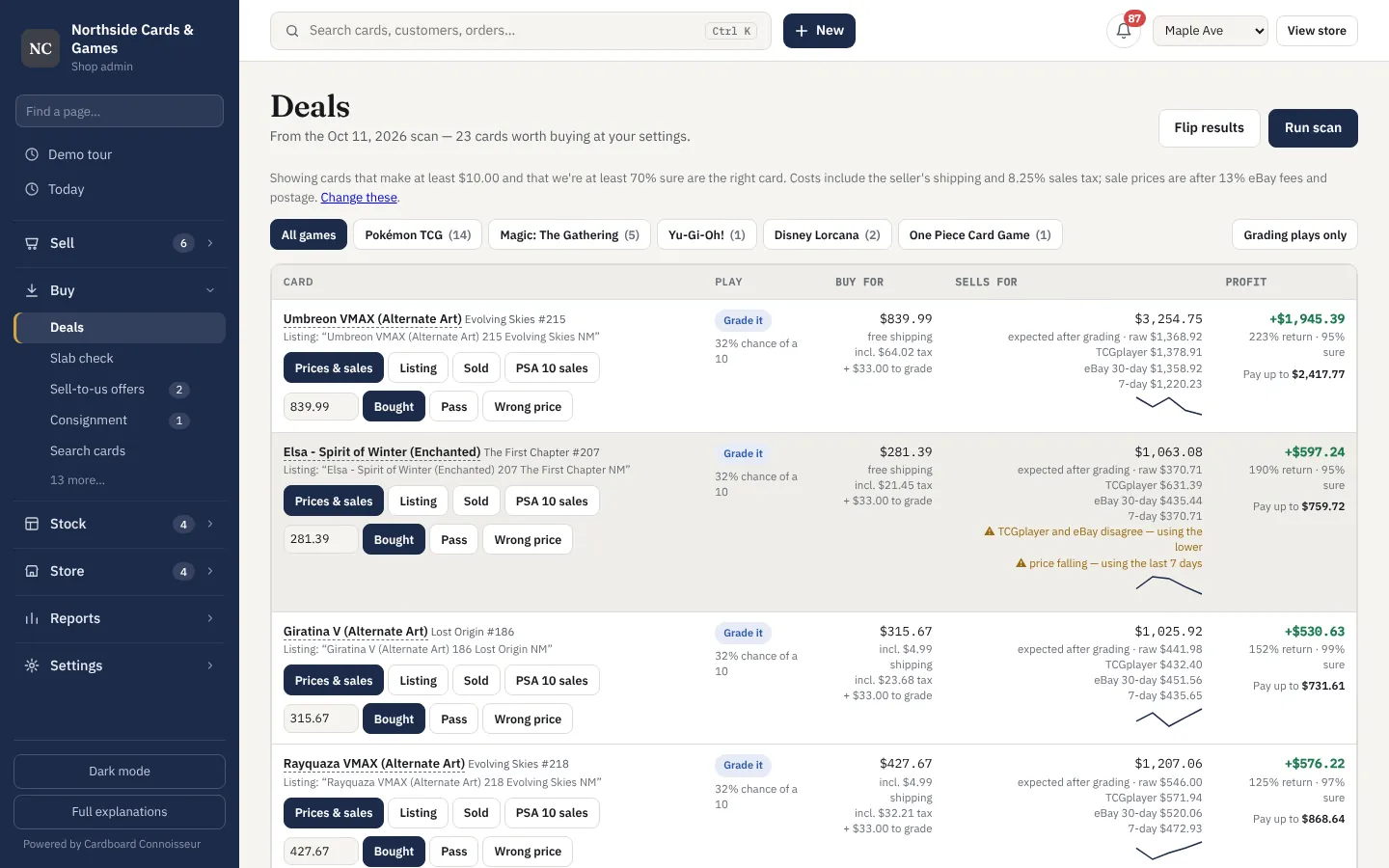
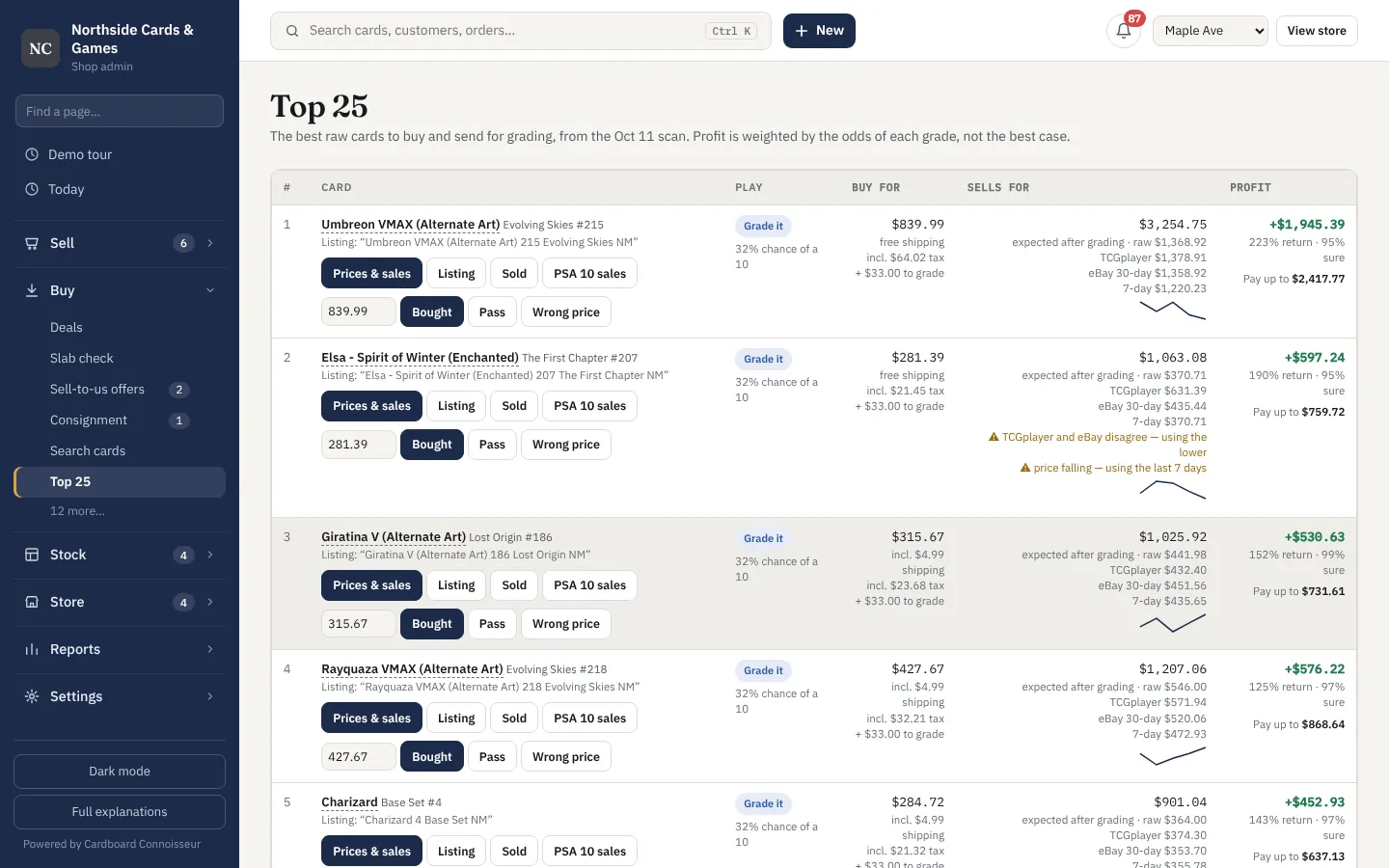
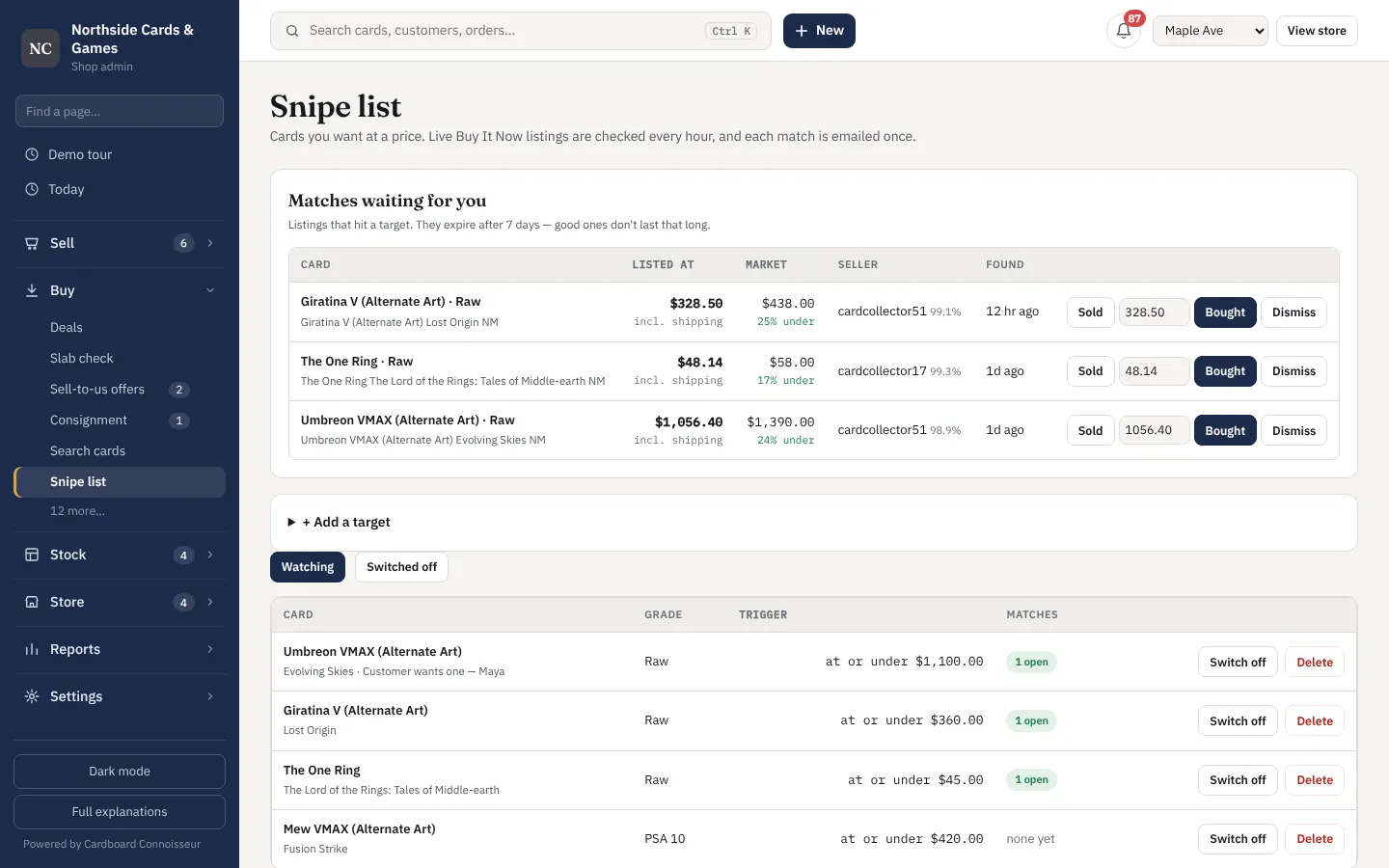
It watches eBay for cards listed under what they sell for, works out the profit after fees, and tells you the odds a raw card grades well enough to be worth sending in.
- Underpriced listings with profit after fees, tax and shipping
- Top 25 raw cards to buy and grade, weighted by the odds of each grade
- Watch any card at your price (the ☆ on every card): an email when one is listed under it
- Watch rules by game, set and rarity — or every set
- Grading batches tracked from submission to sale
- Flip results: what you actually made on each buy
Your collection, tracked like a portfolio
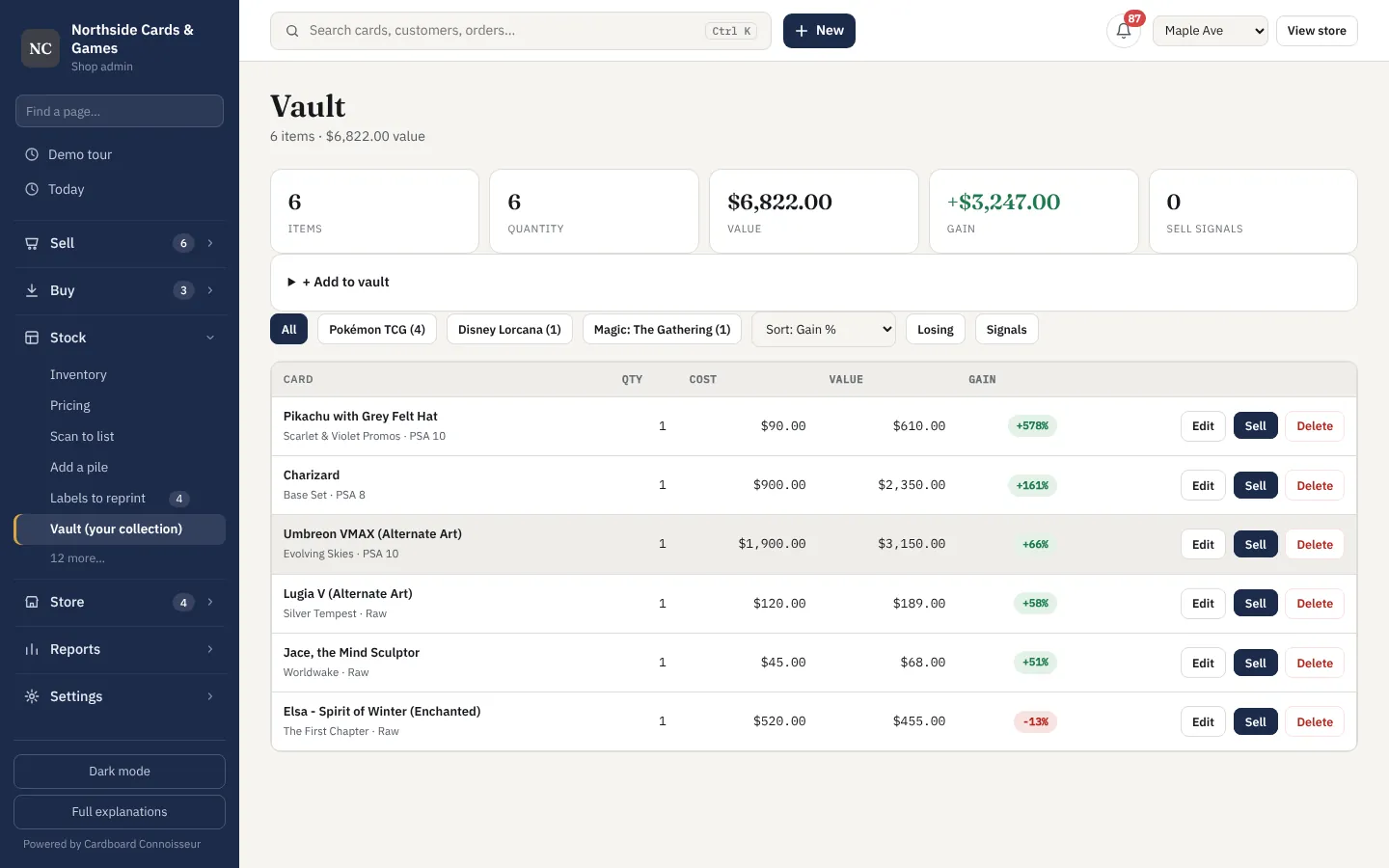
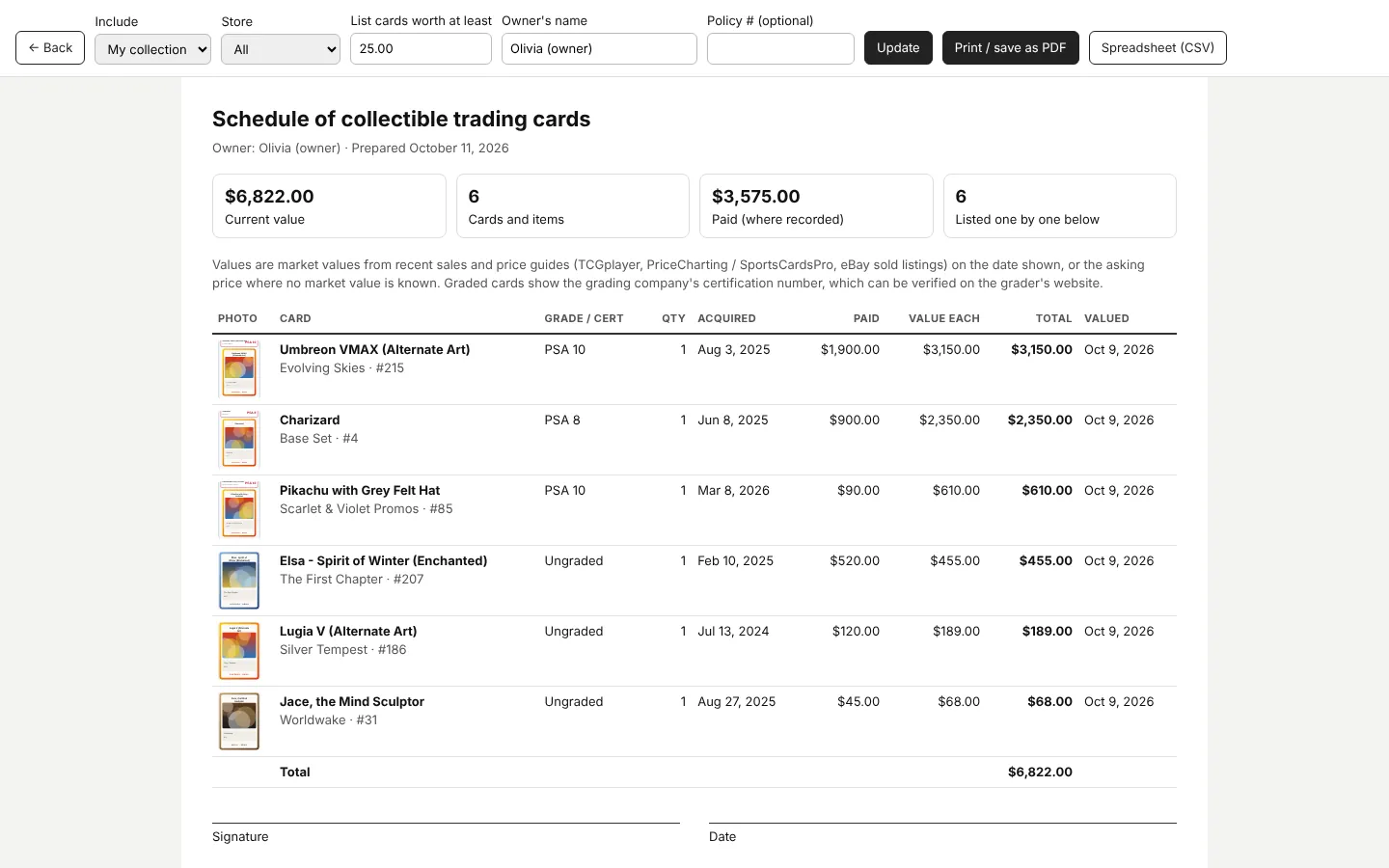
The vault holds your best cards with what they cost and what they're worth now, and prints an insurance schedule when you need one.
- Vault for high-value cards, separate from everyday stock
- Gain or loss on every card since you bought it
- Sell signals when a card is worth acting on
- Set checklists: tick off any set (base, master or a parallel rainbow), see what's missing and what the rest costs
- Insurance report as a PDF or spreadsheet
A till built for cards
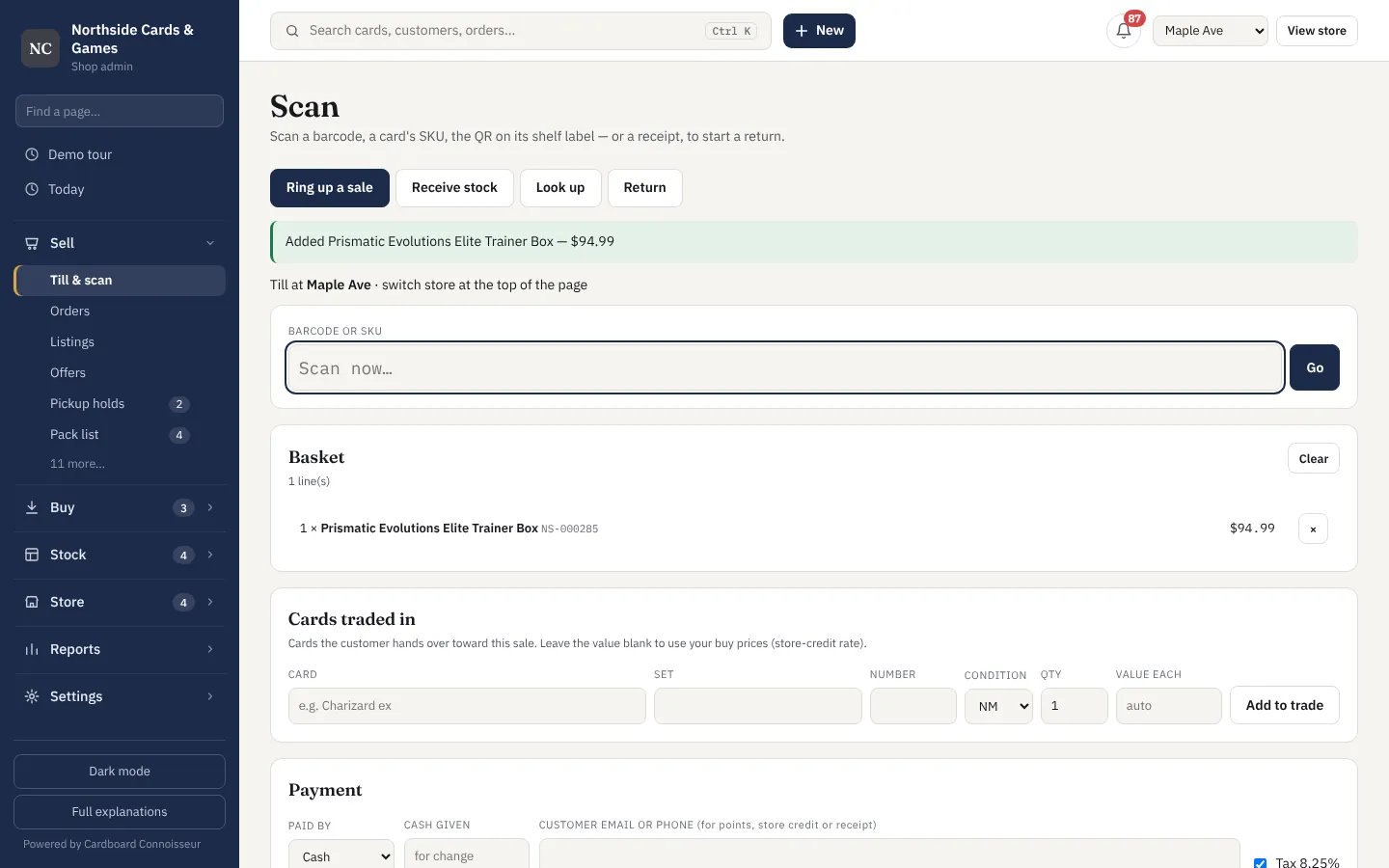
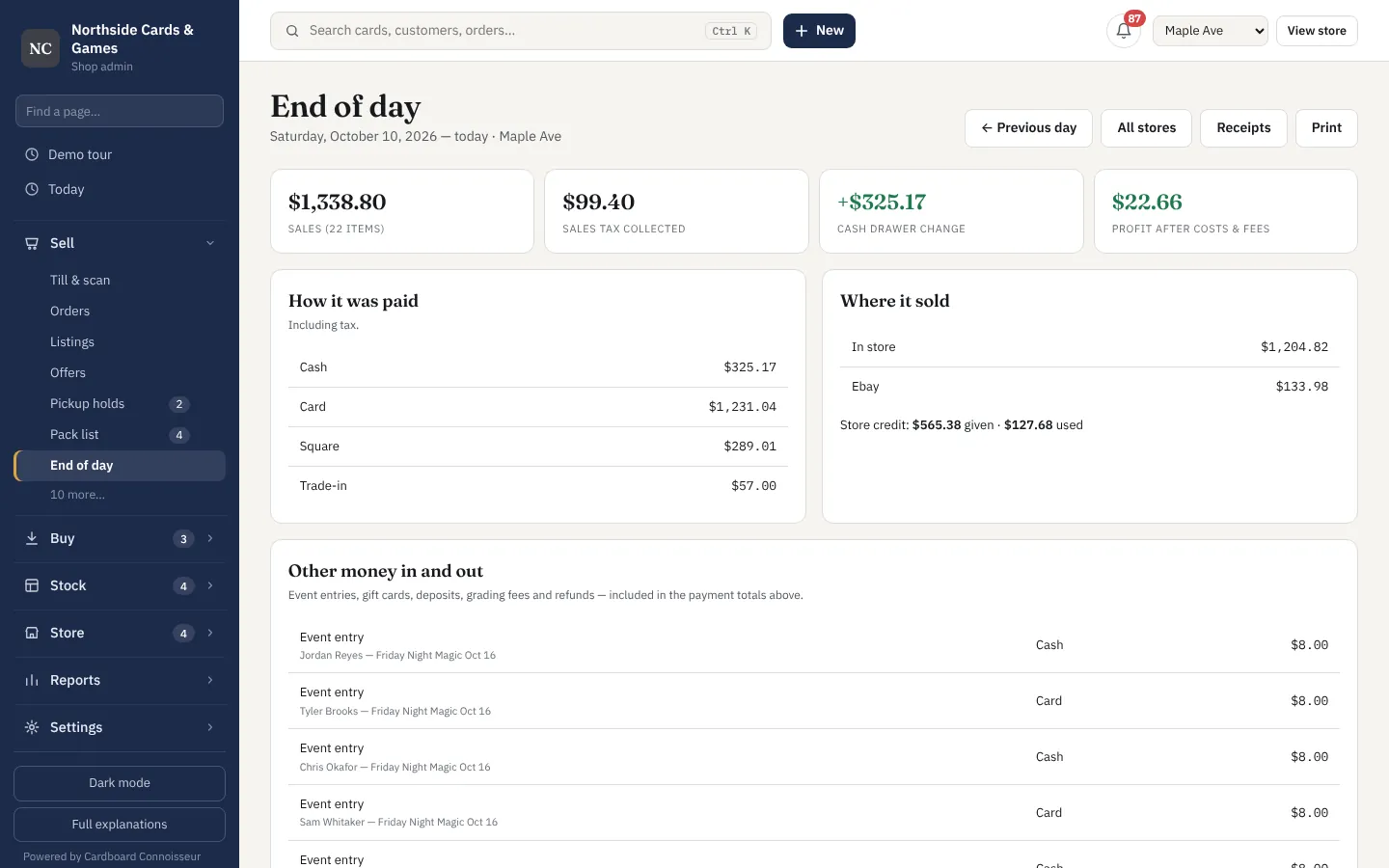
Scan a barcode or a shelf label, add a trade-in, take cash, card or store credit, print a receipt. End the day knowing whether the drawer is right.
- Barcode and QR scanning with any USB scanner or a phone
- Trade-ins on the same sale, valued at your buy prices
- Store credit, gift cards, loyalty points and sales tax
- Card payments through Square, recorded automatically
- Receipts, returns and exchanges
- End of day: drawer count, over or short, by payment type
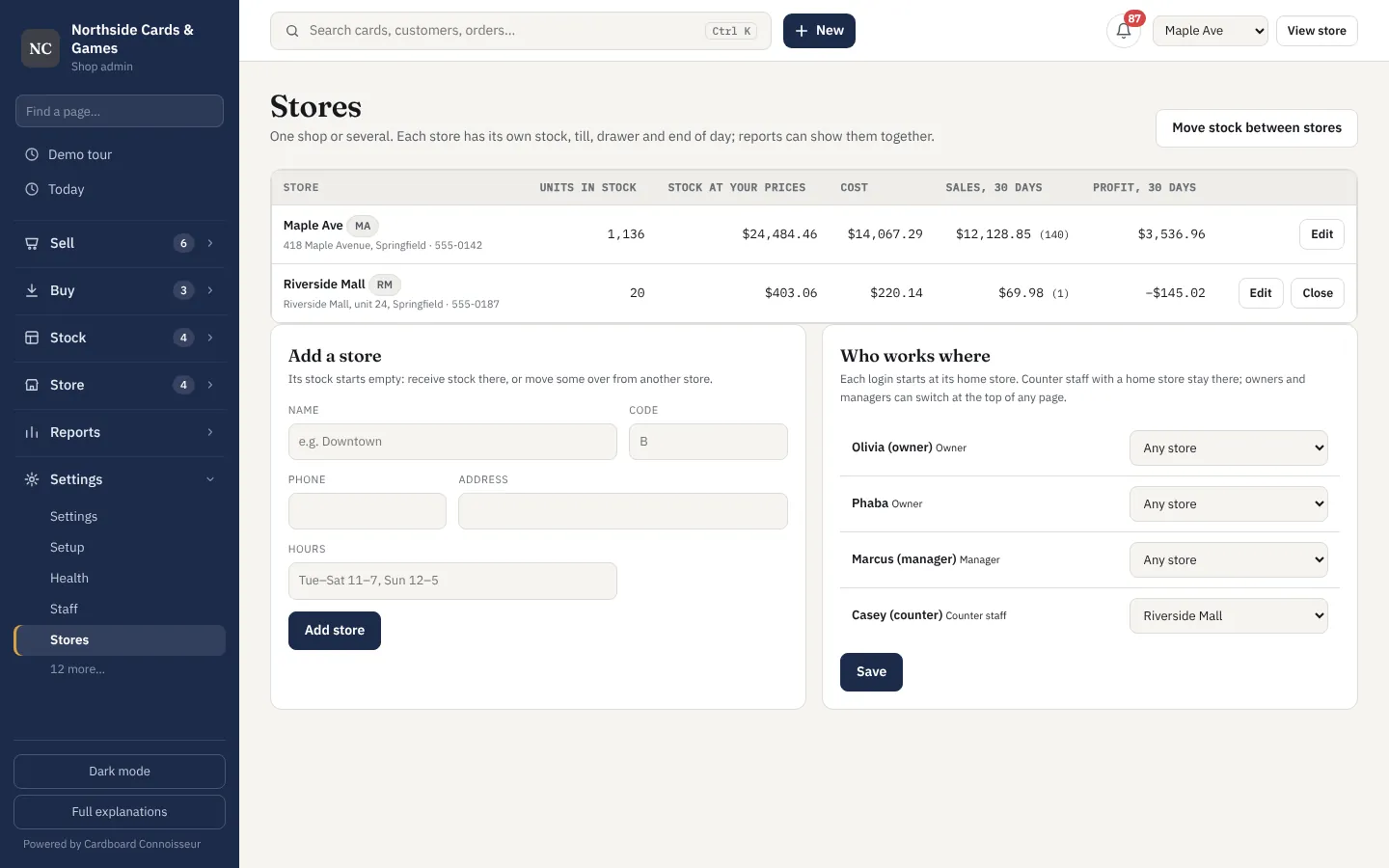
- Several stores with their own stock, and transfers between them
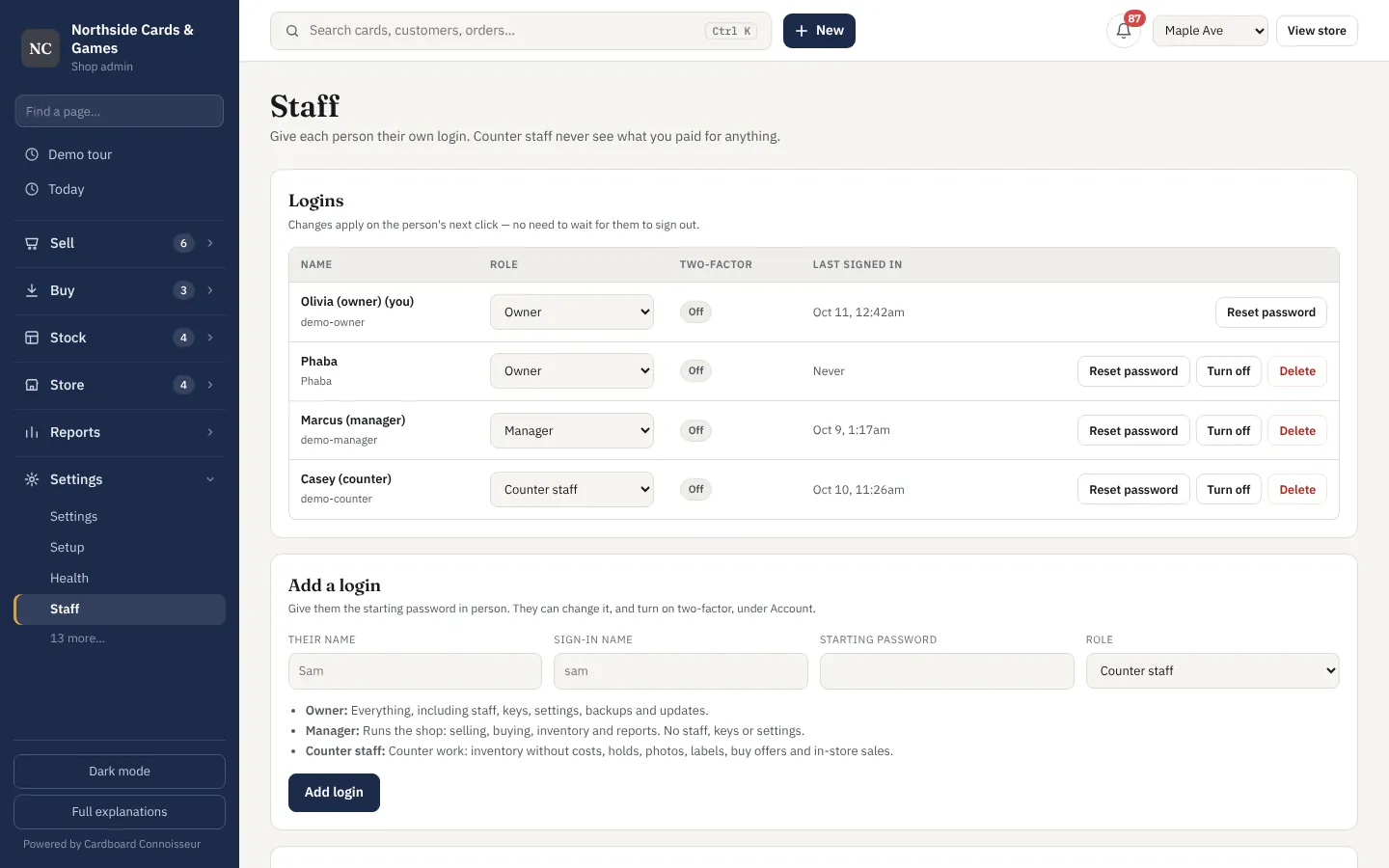
- Staff logins: owner, manager and counter roles — counter staff never see costs
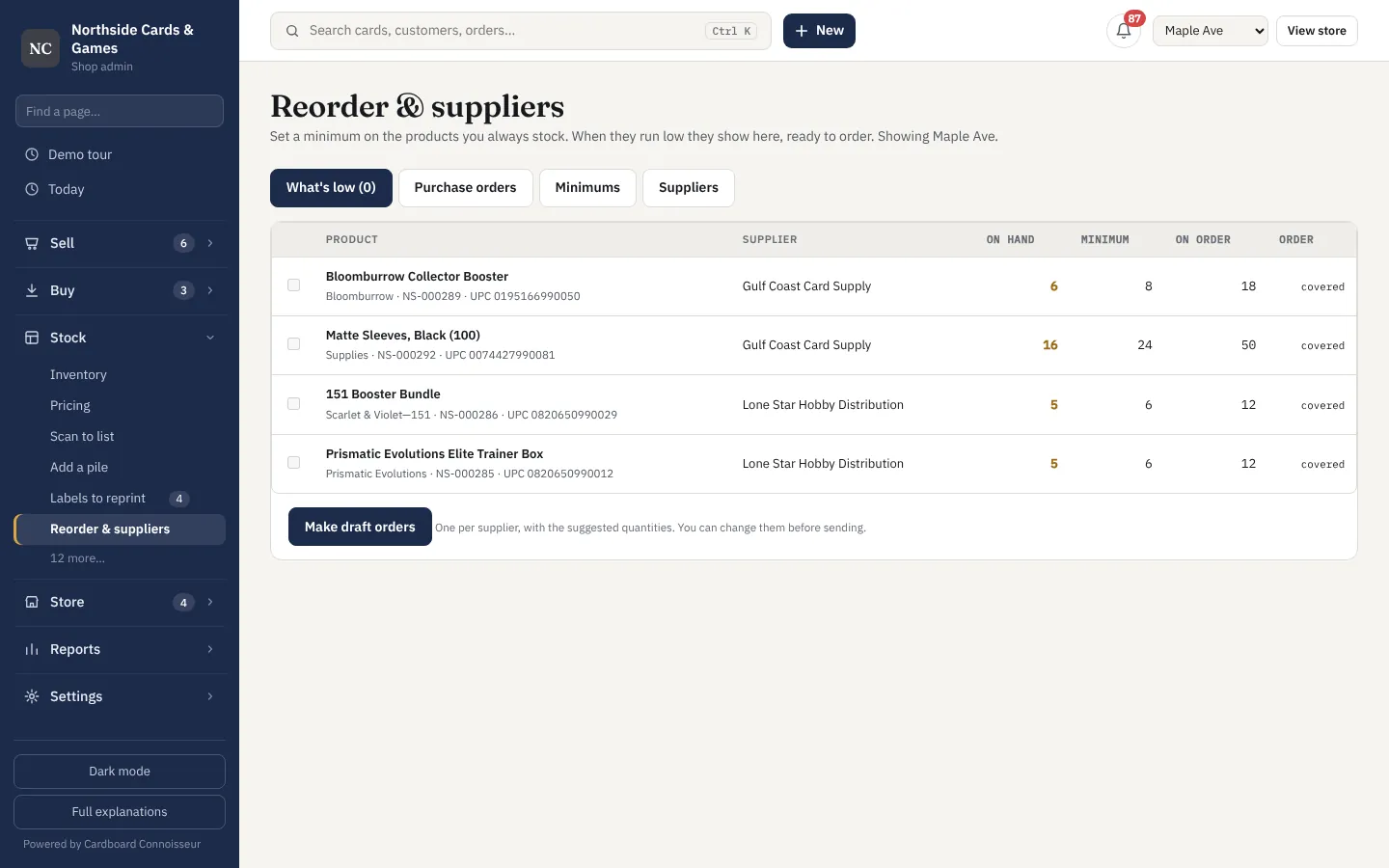
- Low-stock alerts and purchase orders for sealed and supplies
The things that bring people back
Holds, buy offers, consignment, events and pre-orders, each with its own page instead of a spreadsheet — and the emails go out by themselves.
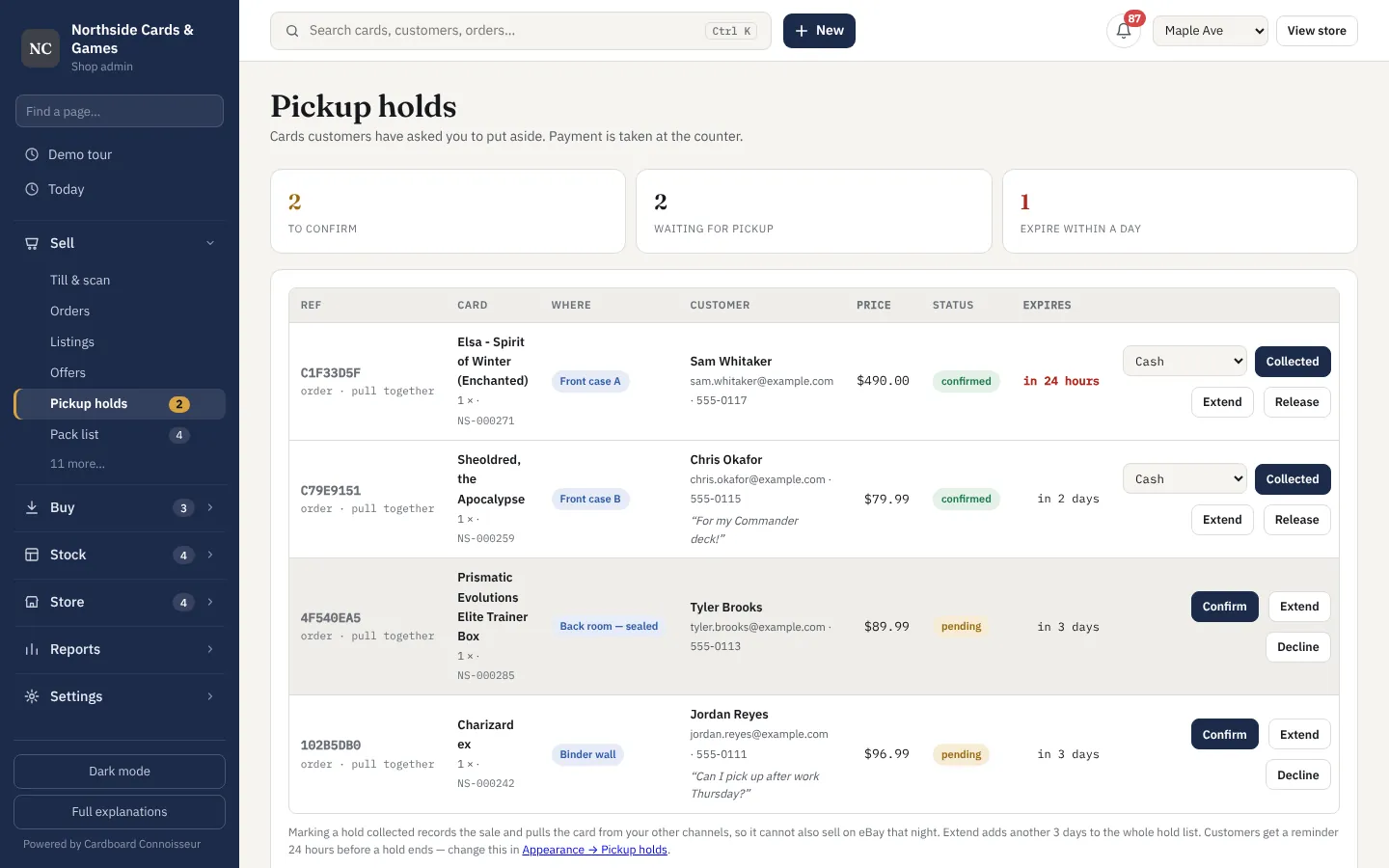
- Pickup holds customers place from your website
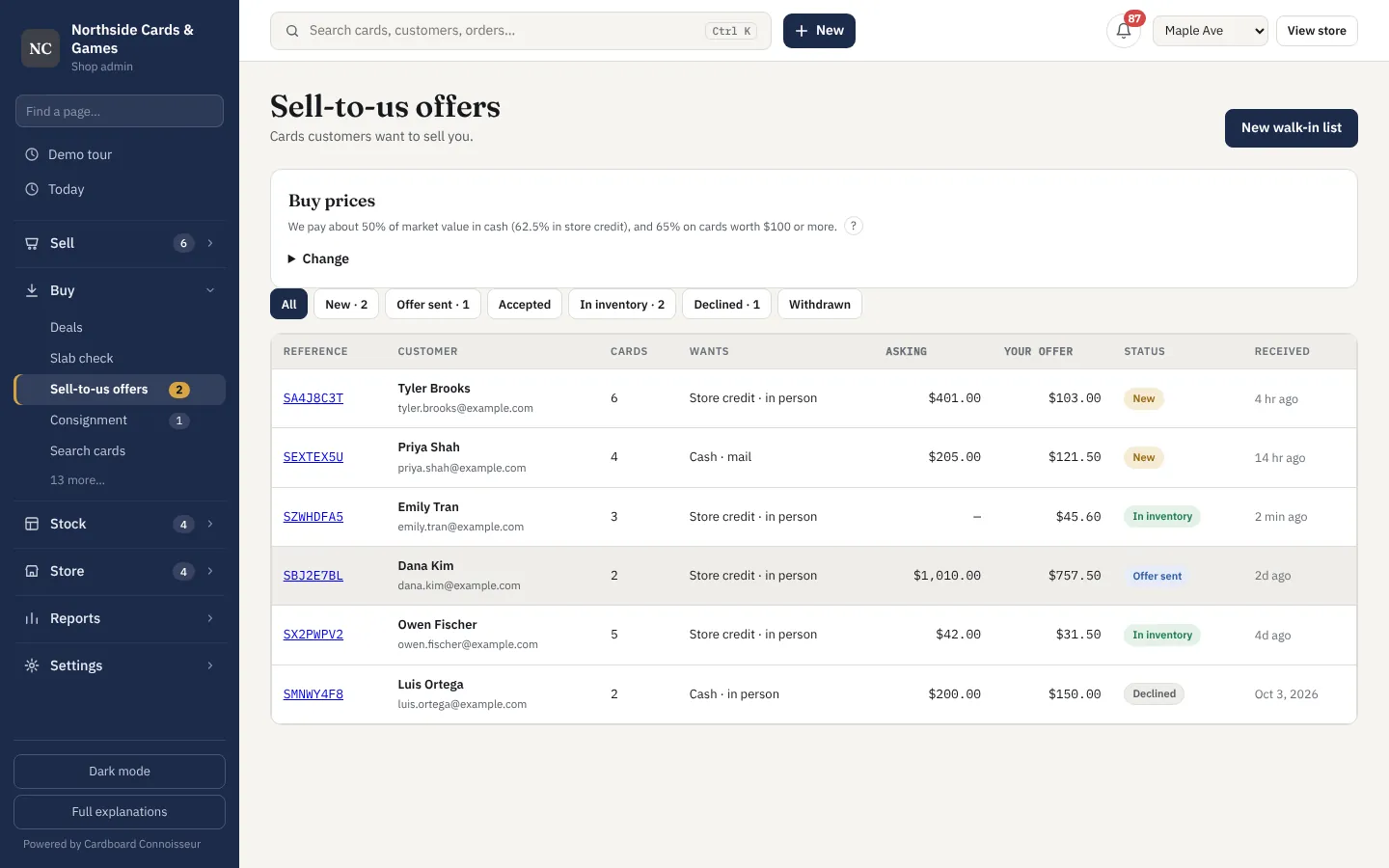
- Sell-to-us offers with cash and store-credit prices
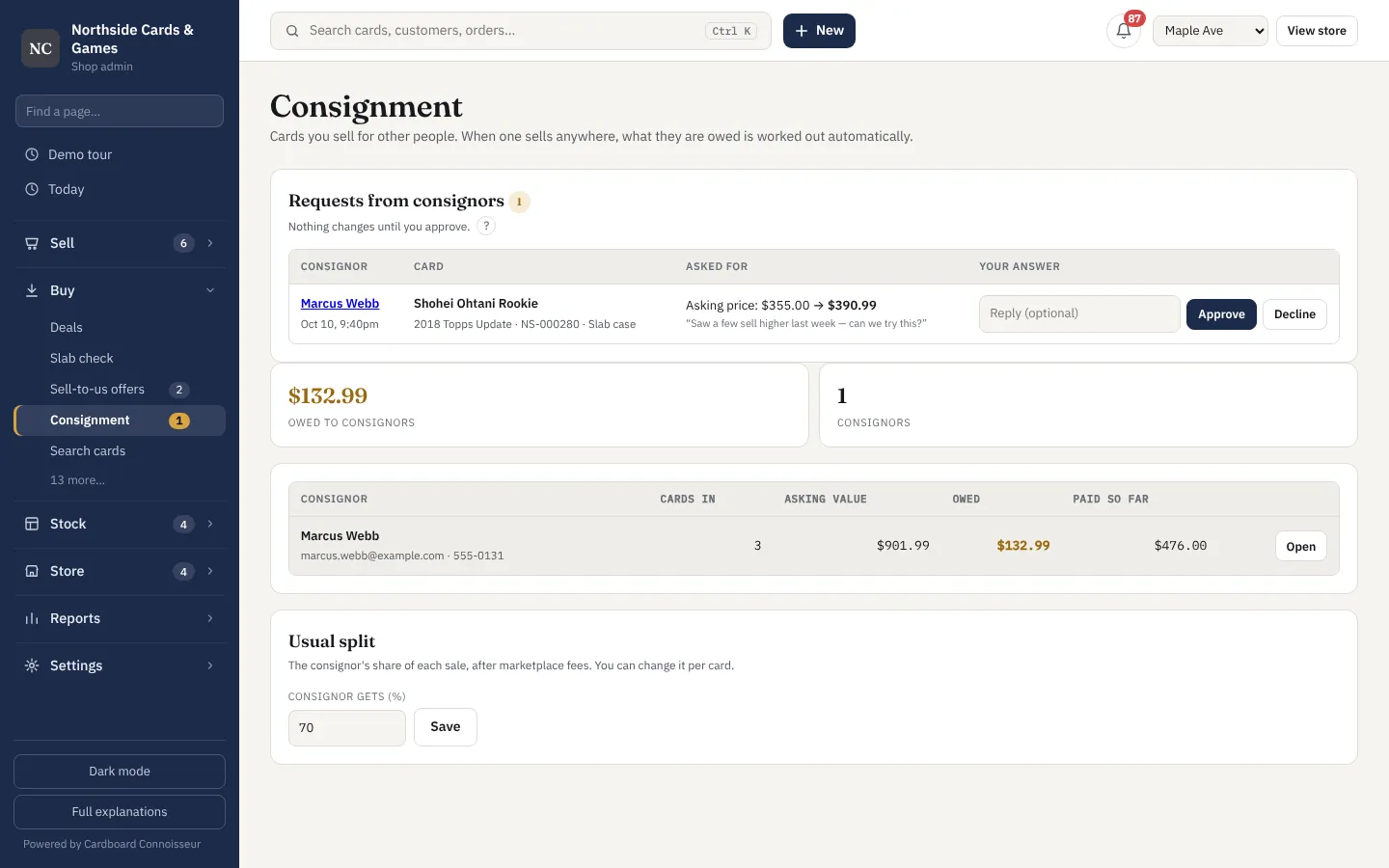
- Consignment with a page for each consignor and automatic payouts owed
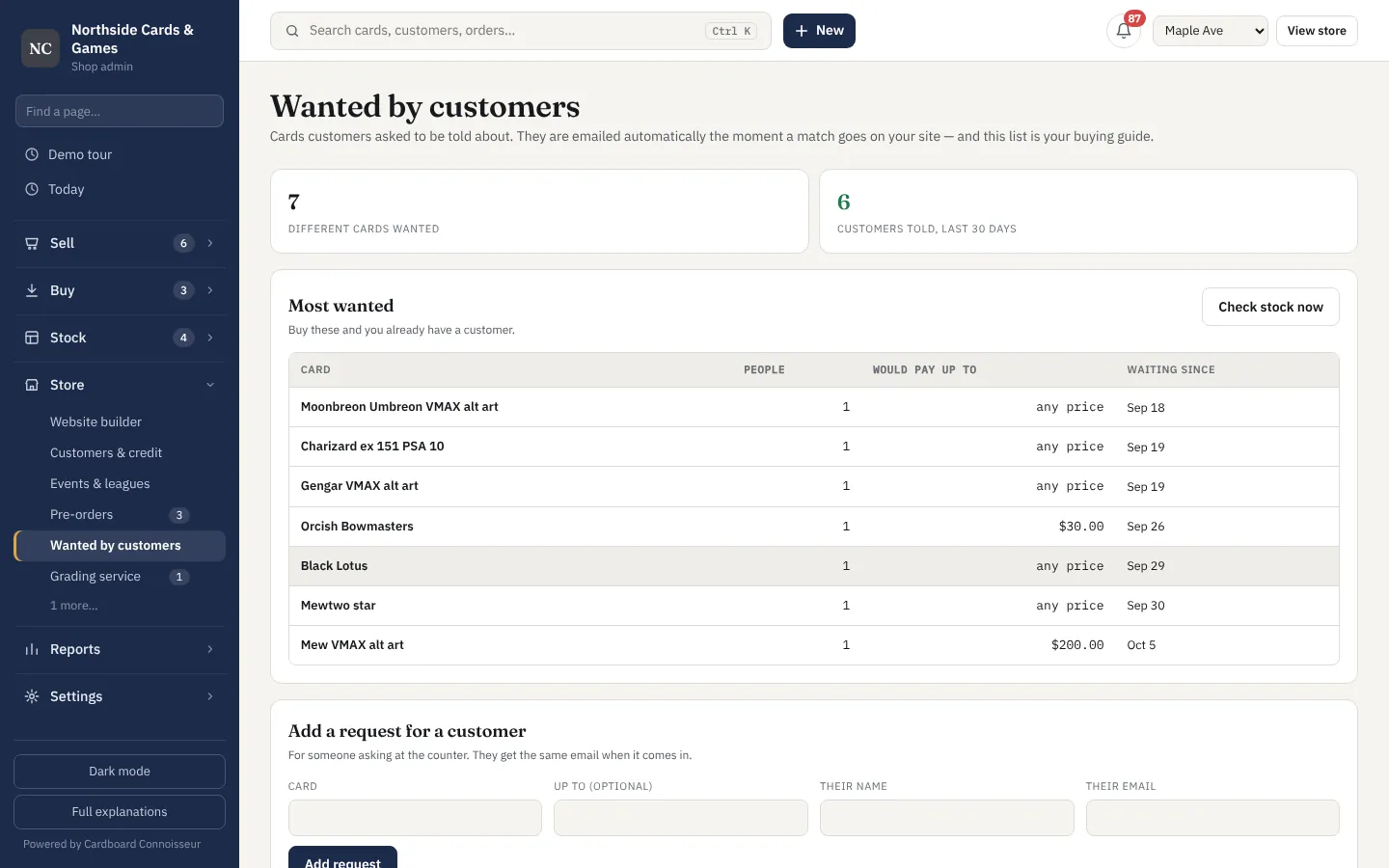
- "Tell me when it comes in" requests that double as a buying guide
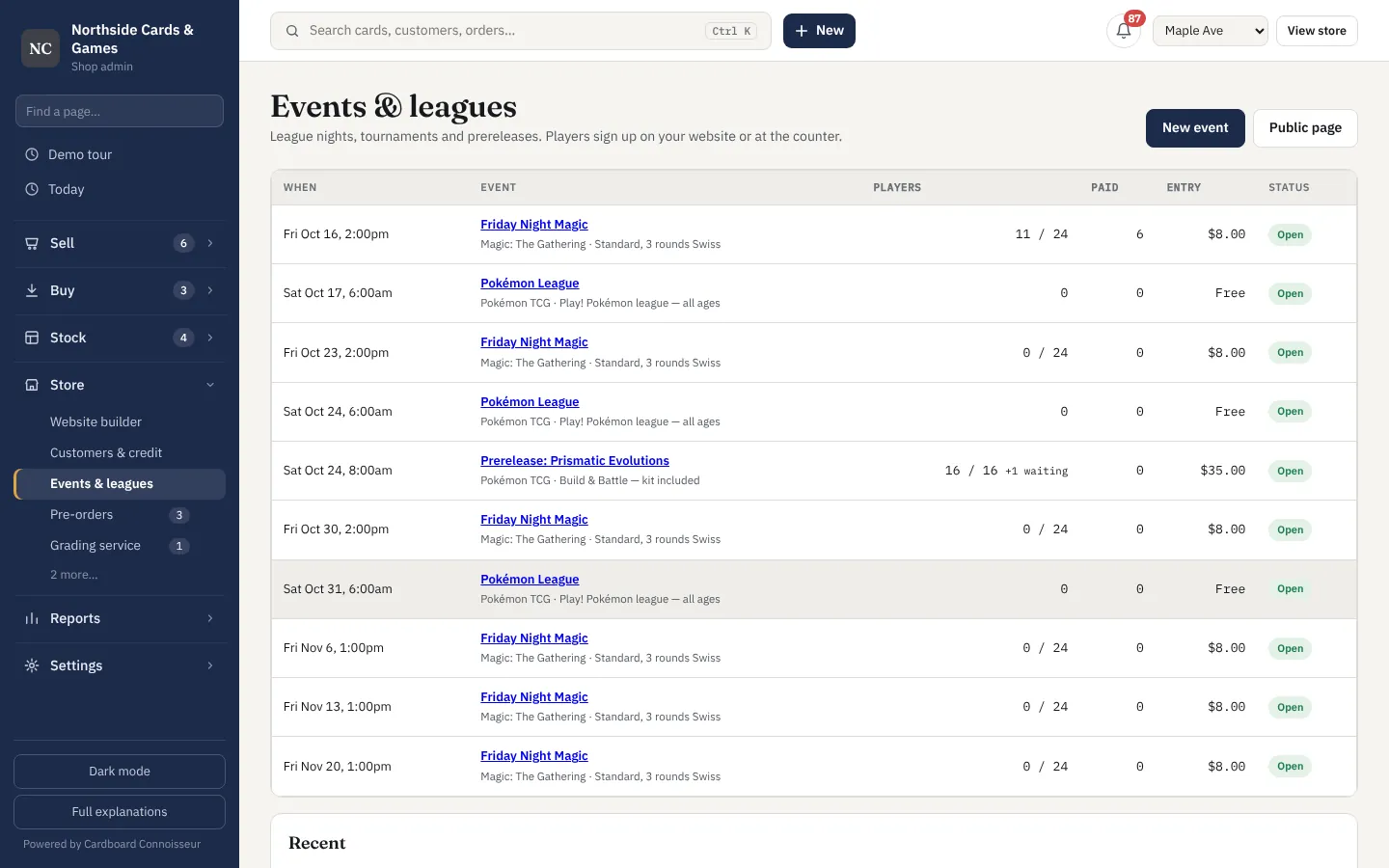
- Events and leagues with online sign-up and entry fees
- Pre-orders with fair allocation when stock lands
- Grading service for customers' cards, tracked to collection
- Case breaks with a public results page
- Customer records with store credit and history
Your shop's own website
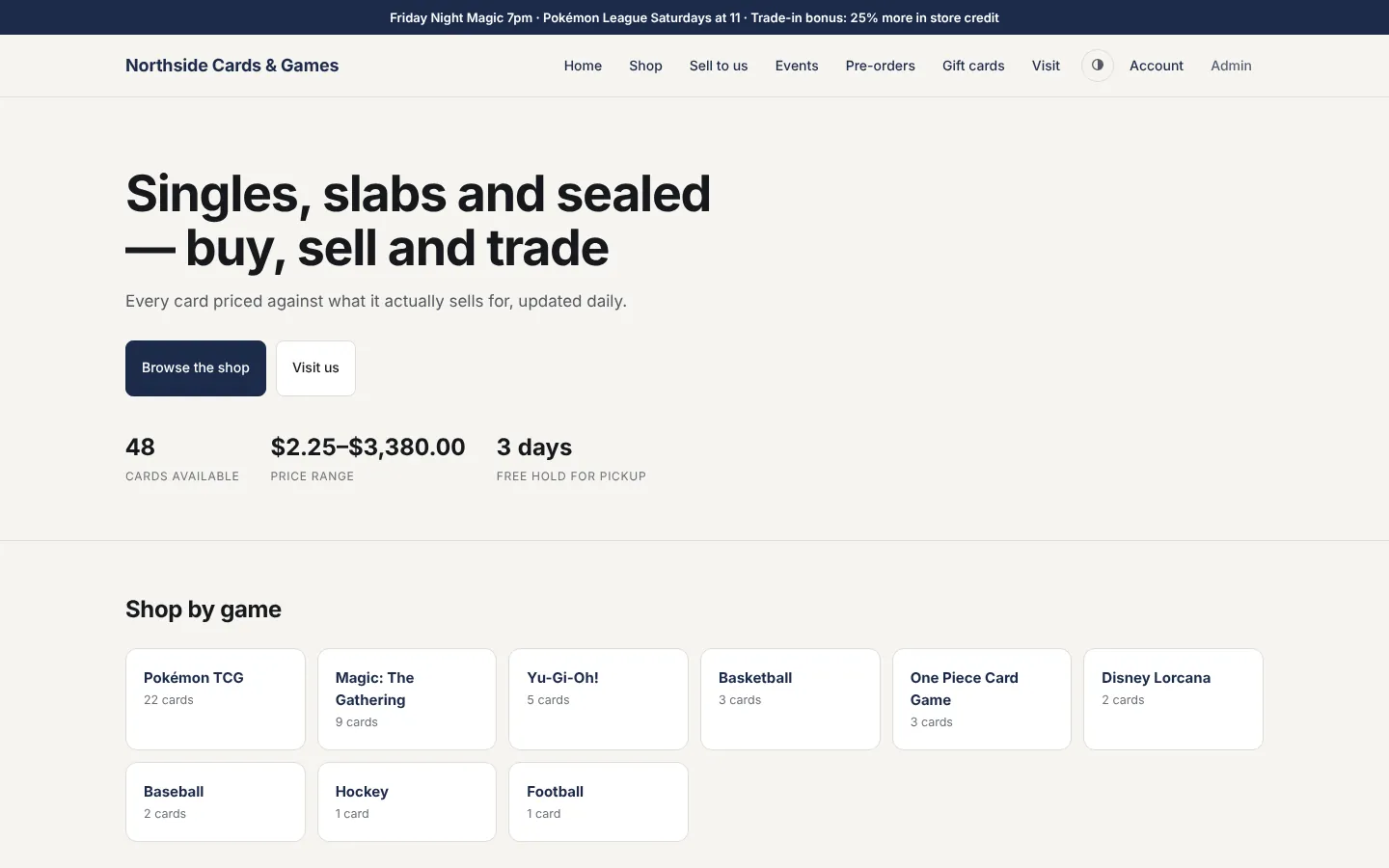
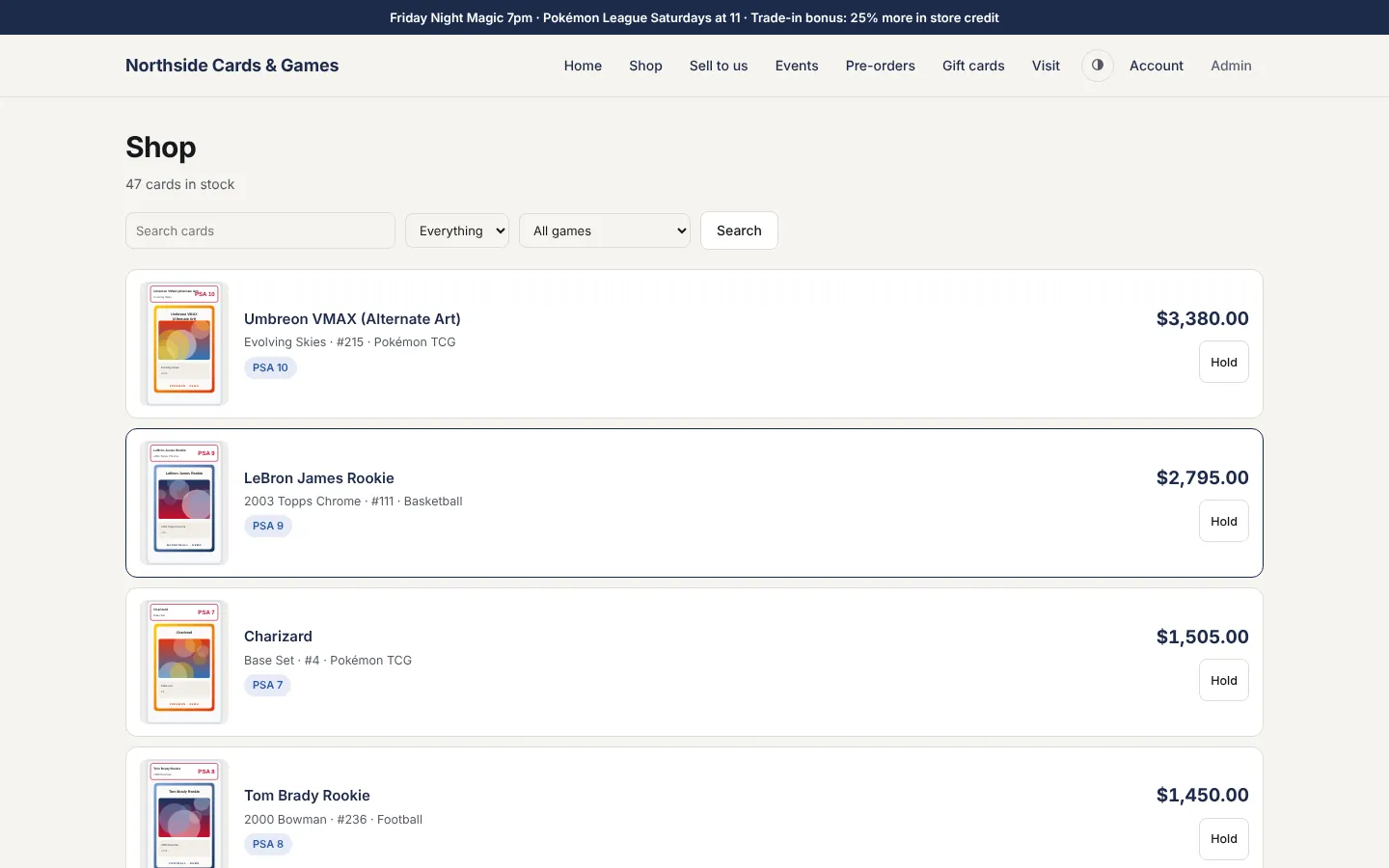
Your stock, live, under your name and colours — and a real checkout: customers buy, pay and have it shipped, no eBay or Shopify in the middle. A card is on the site the moment it's in inventory and comes off when it sells.
- Home, shop, events, pre-orders, gift cards and visit pages
- Checkout that ships: cards, Apple Pay and Google Pay through your own Stripe — no marketplace fees
- Your bulk as set checklists: customers pick cards into "any 15 for $5" bundles, for pickup or shipping
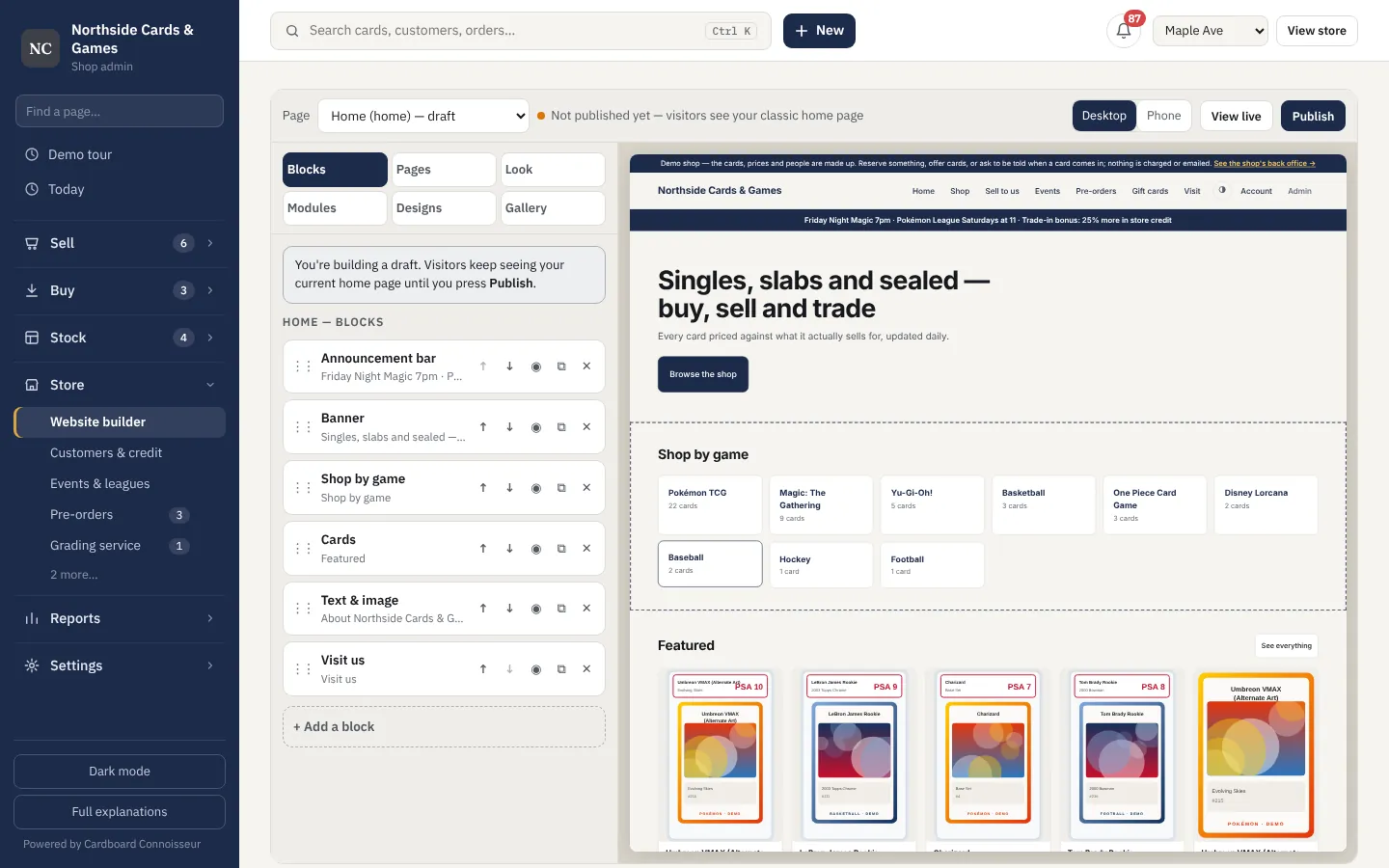
- Website builder with drag-and-drop blocks
- Your logo, colours, fonts and layout
- Customer accounts: saved addresses, order tracking, holds and store credit
- Search-engine friendly pages for every card
Card shows without the wifi
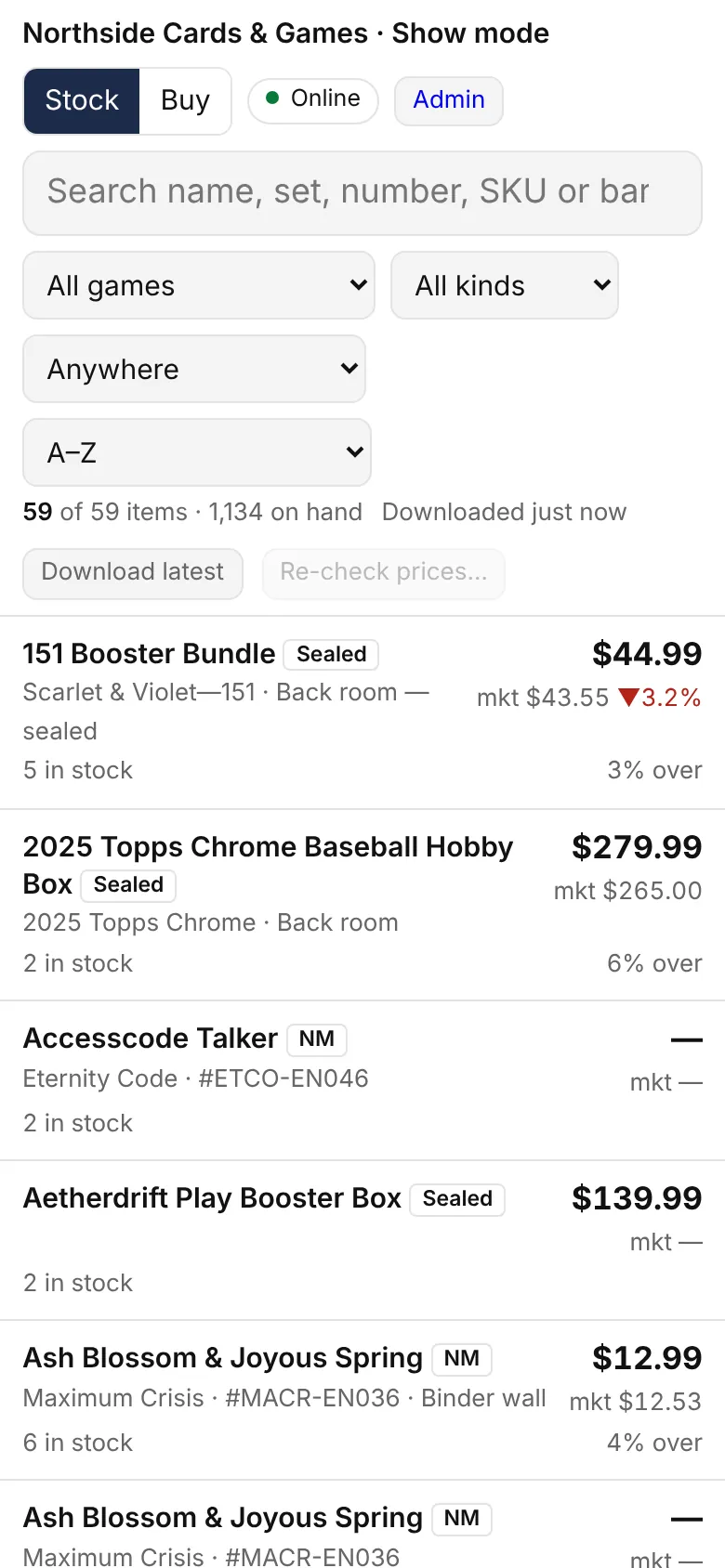
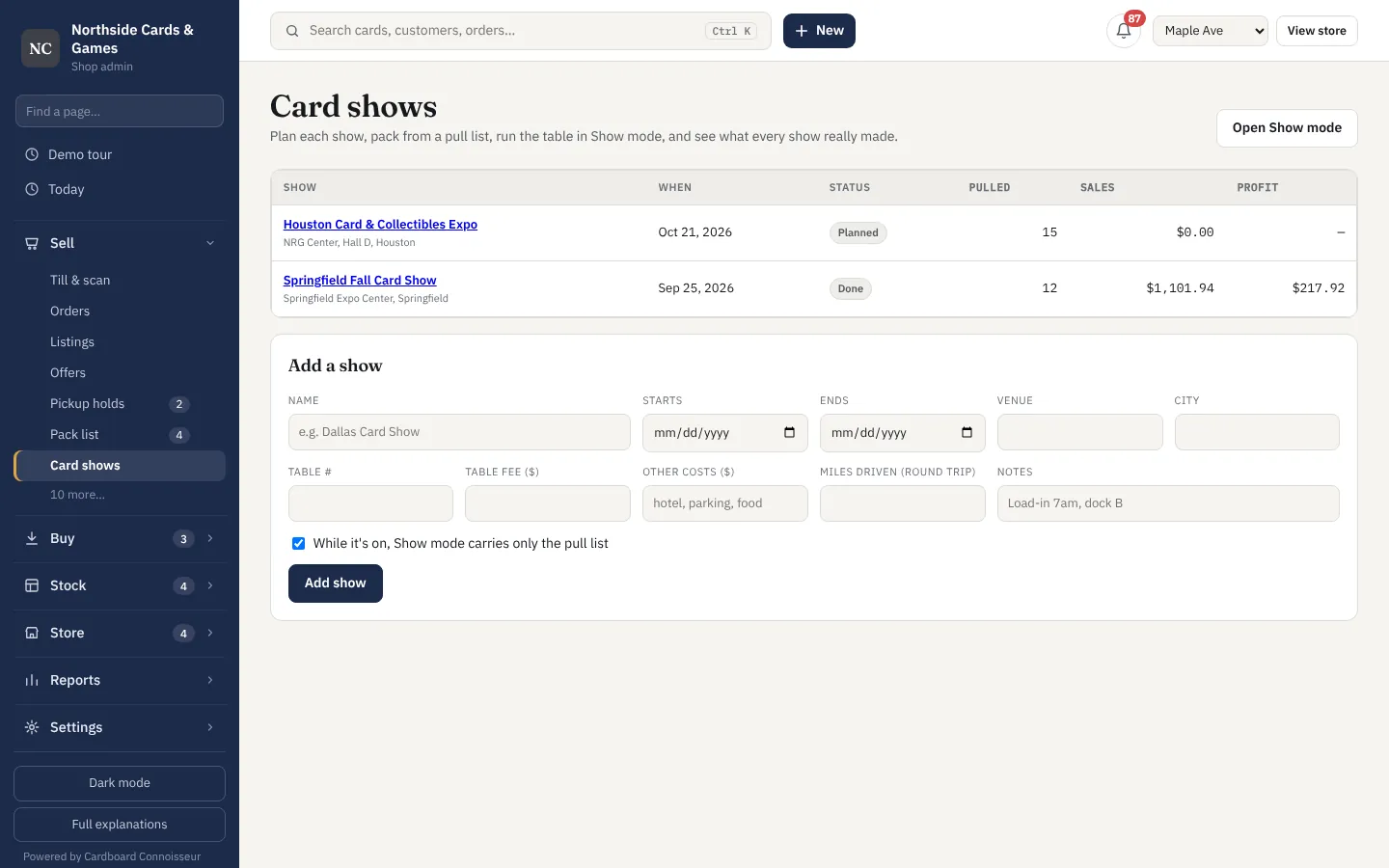
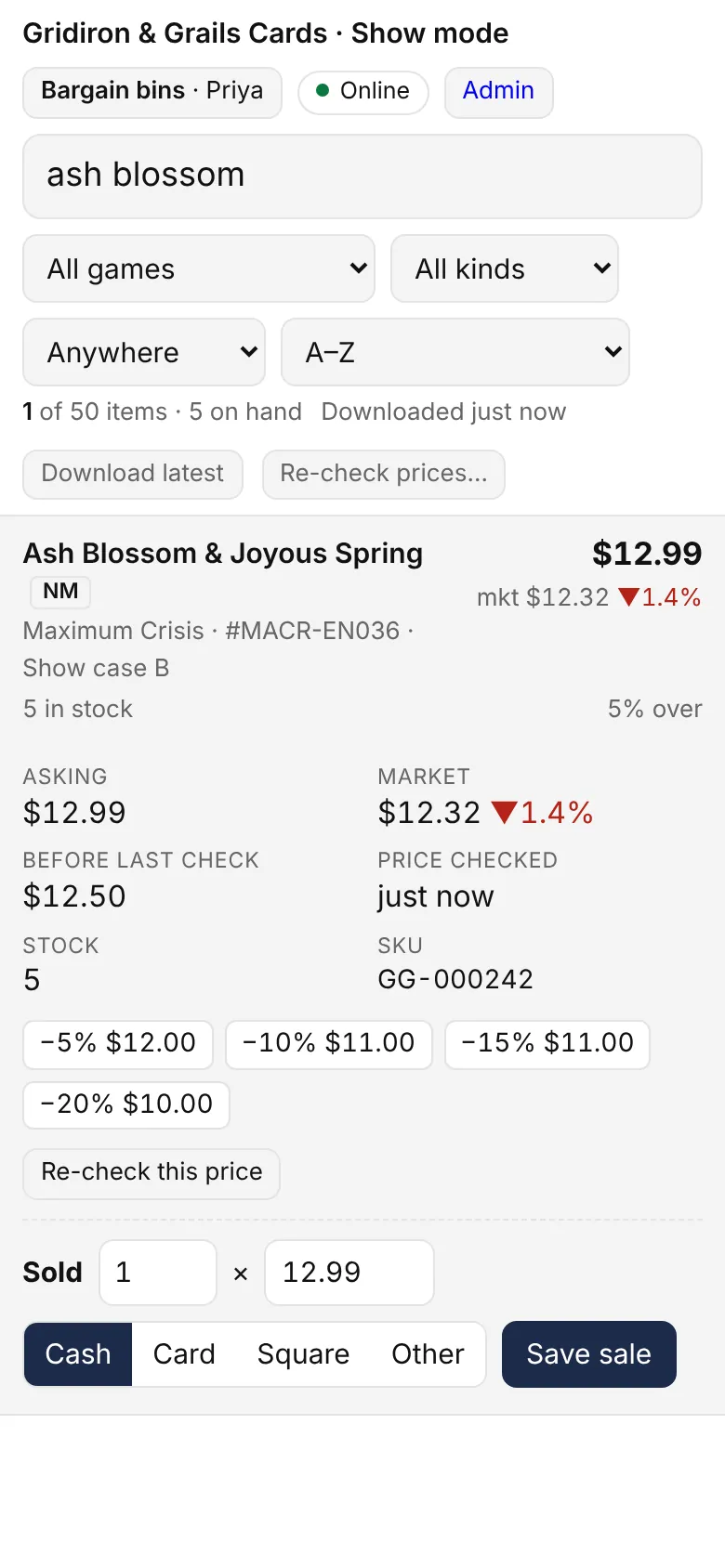
Show mode downloads your stock to a phone so you can look up and sell at a table with no signal, then catches up when you're back online.
- Works offline on a phone or tablet
- Pull list per show, so only what you brought is on the table
- Table fees, travel and profit per show
A booth with a crew
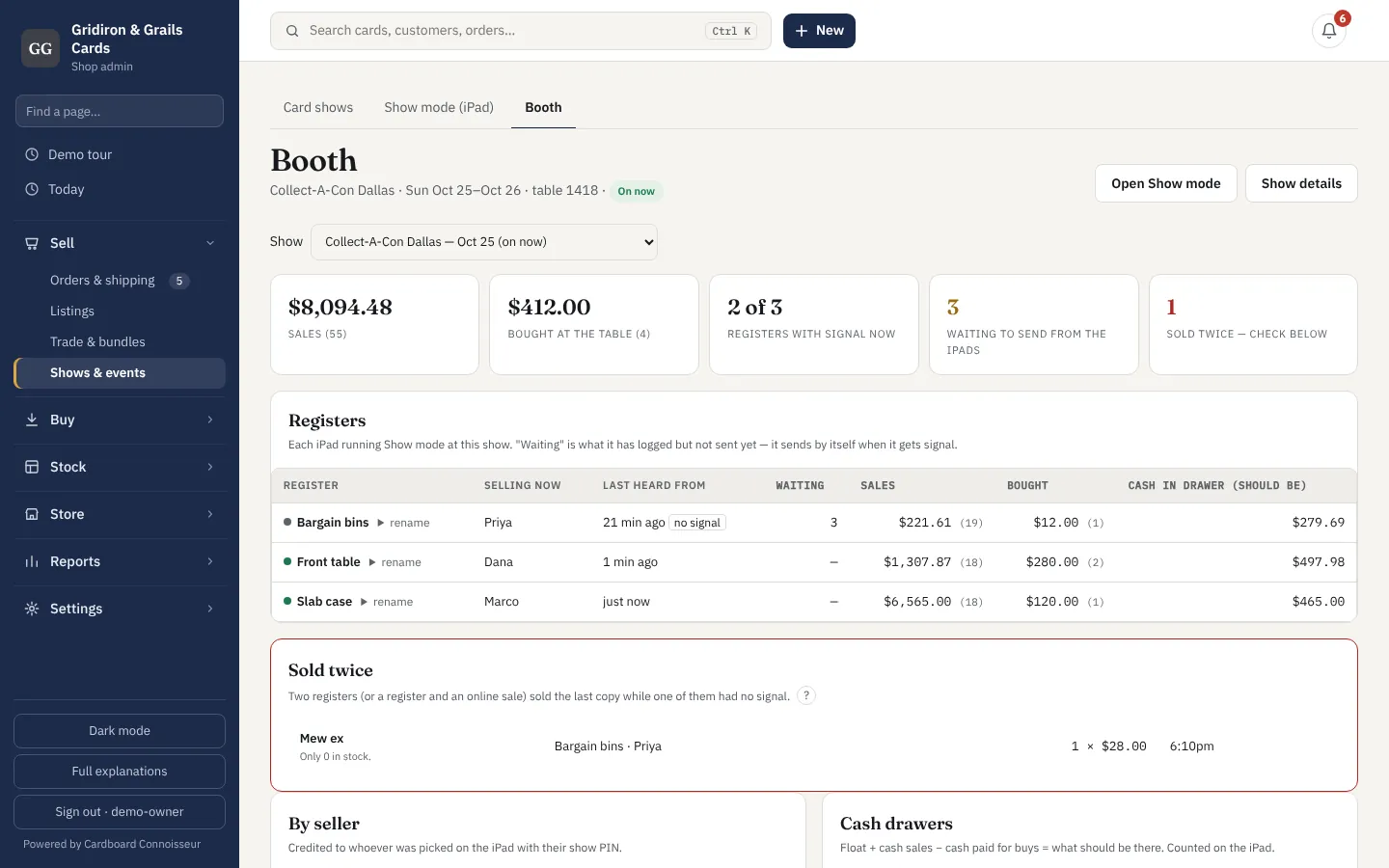
Two or three iPads at one table, all working with no signal. Each knows who's selling on it, keeps its own cash drawer, and tells the others what sold the moment it gets a bar of signal. One board shows the whole table.
- Several iPads at one table, each named ("Front", "Slab case")
- Staff tap their name and a PIN — sales credited to the right person
- A cash drawer per register: float, counted at close, over or short
- The iPads tell each other what sold whenever there's signal
- Anything two registers sold twice, flagged with who and when
- Booth board: every register, every seller, the latest sales live
Numbers your accountant will accept
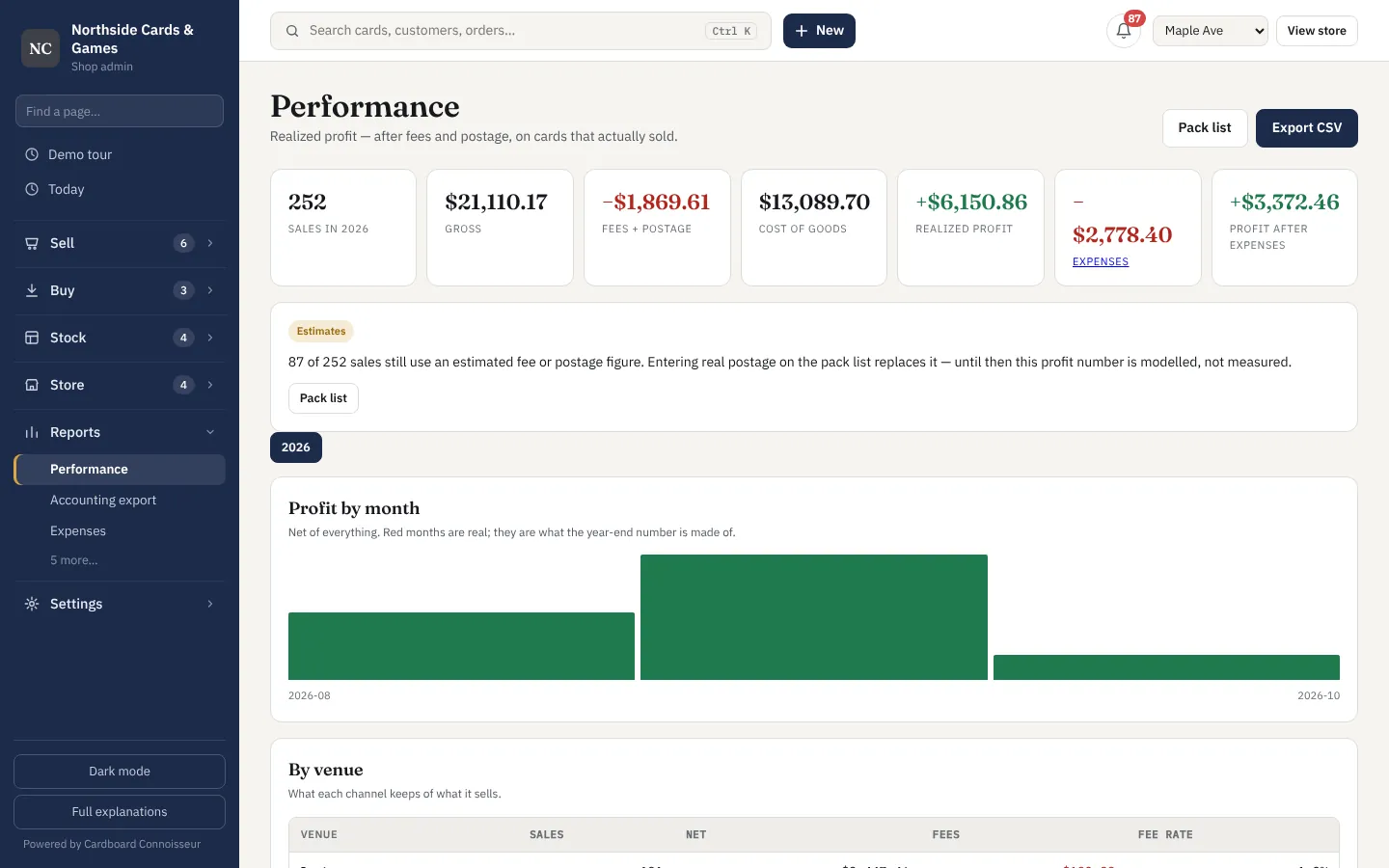
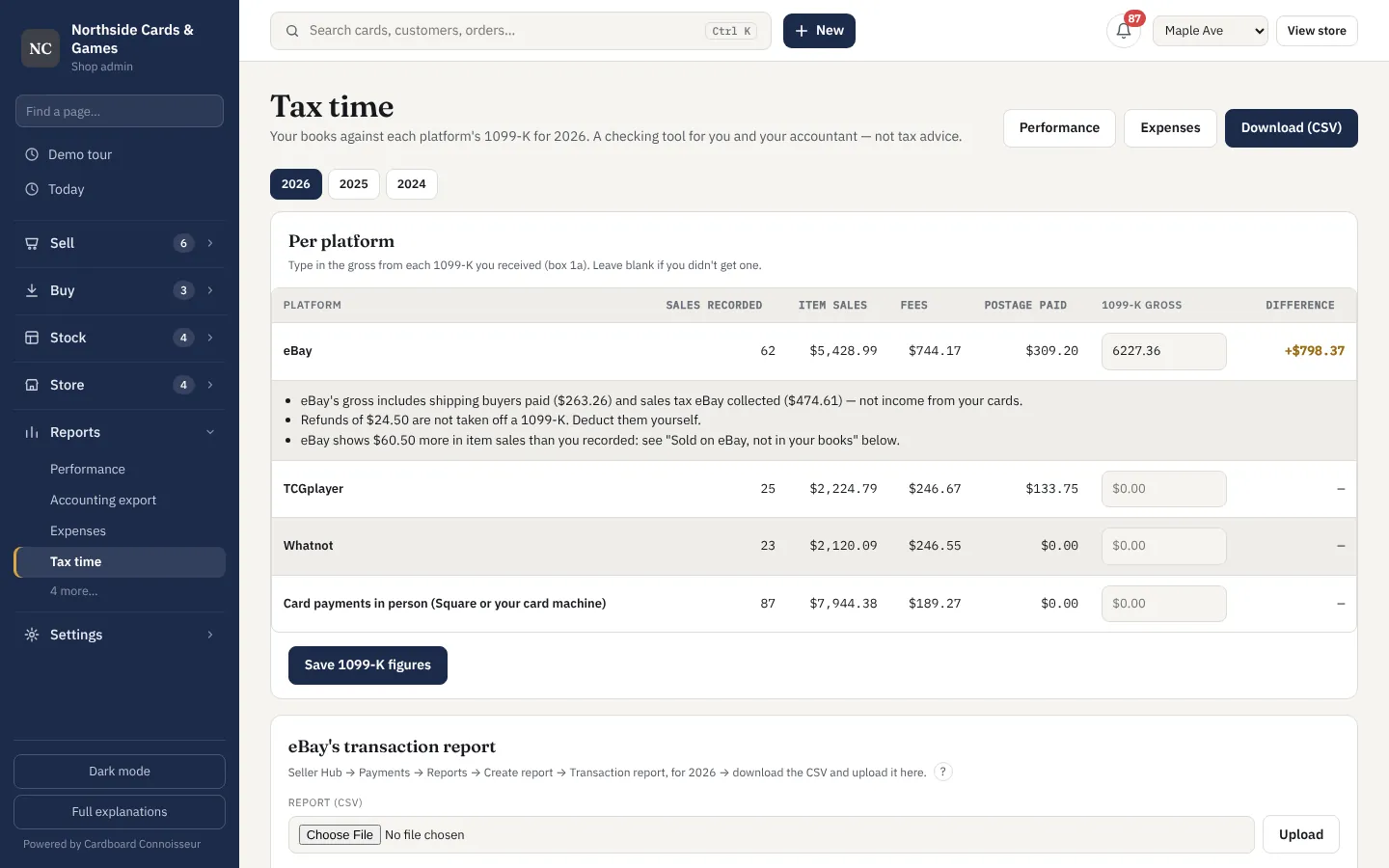
Real profit after fees and postage, by game and by channel, with expenses and a 1099-K check that finds what the platforms over-reported.
- Profit by month, game and channel
- Expenses and mileage
- Capital: what's tied up in stock and how fast it turns
- 1099-K check against eBay, TCGplayer and Whatnot
- Accounting export
Staff, backups and updates
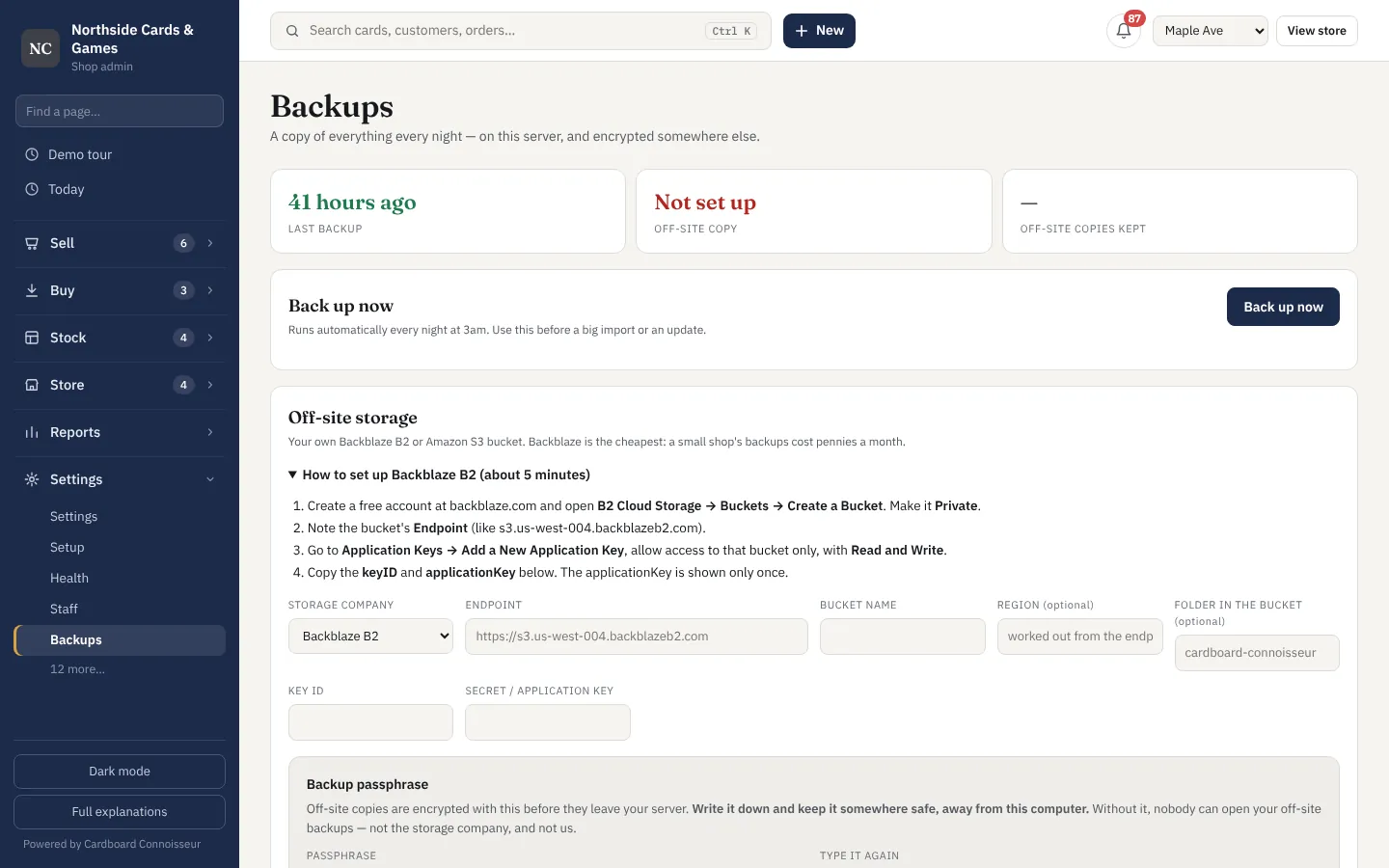
Counter staff never see what you paid. Everything is backed up every night, encrypted. Updates install with one click and can be undone.
- Two-factor sign-in
- Nightly encrypted backups, off-site
- Signed updates — a tampered file is refused
- Undo the last update with one click
- Your data stays yours: download a full backup any time
Some of this needs an outside account.
Listing to eBay needs free eBay developer keys; sports checklists come from Card Hedge. The add-ons page lists each service, what it switches on, and what it costs.